E-learning material
Necessities for your paper
The e-learning material entitled Necessities for your paper is primarily intended for BA students who are still familiarising themselves with the thesis writing requirements and have yet to begin writing their thesis. However, we hope that other students, such as those in MA or specialist postgraduate programs, will also find it useful.
At the beginning of each lesson, we have indicated the following:
- the objective of the chapter;
- the learning requirements to be met;
- the estimated time required for learning;
- key concepts (a list of concepts necessary for learning and understanding).
The separate modules cover larger topics and are suitable for independent learning. Practical examples, linked guides, and online games – that can be used as short knowledge tests – can help to process the material.
The first two modules (Library Use, Scholarly Literature Sources, and Ctrl C – Ctrl V – References, Plagiarism) and the linked guides provide the basic knowledge for completing the library module of the mandatory SZEMTANK course in Moodle.
The additional modules (basic writing skills, topic search, use of AI tools, text similarity check, etc.) provide assistance to complete your studies successfully.
The course material is available on the Library’s website, and its content is continuously being developed and expanded. Help us improve it. We welcome your feedback, additions, and suggestions through the evaluation form.
In addition to this learning material, we continue to hold training sessions in both semesters, integrated into courses or as separate events. Keep an eye on our website and newsletters.
Available modules:
| Module | Target group | Description | Note |
| Topic selection | BA | Tips and criteria for selecting a topic for your paper | Complementary |
| Library usage – scholarly literature sources | BA/MA | Basic information on library use, library and external literature sources | Essential |
| Ctrl C – Ctrl V – References, plagiarism | BA/MA | Basic information about references, avoiding plagiarism | Essential |
| Reference management tools | BA/MA | Tools for effective reference management | MA Advanced 1 |
| Critical thinking, source evaluation | MA | Tips and criteria for evaluating external scholarly sources | MA Advanced 1 |
| AI policy and recommended tools for research | BA/MA | Explanation of the Corvinus AI regulation, presentation of useful AI research tools | MA Advanced 1 |
| Basic writing skills | BA/MA | Tips for writing your paper, style, language and formal structure | Complementary |
| Text similarity check | BA/MA | Availability and use of Turnitin software, interpretation of results | Essential |
Have a successful study!
University Library
Student Success Support
1. Module: Topic selection
The aim of the lesson: to familiarise users with the criteria of topic choice
Requirements:
You have learned this course material properly if:
- you can list the criteria of topic choice.
Time required: you will need approximately 30 minutes to complete this lesson.
Key terms:
- topic hunting, topic choice, topic;
- fields of interest, preparedness;
- source, accessibility, manageability;
- time, real problem.
~~~OOO~~~
The thesis is a very important part of higher education studies, as by writing it, you demonstrate that you are able to apply theory and practice at a high level by systematizing what you have learned.
Its most important criteria are:
- application of the learned theory,
- systematization of knowledge,
- research work and literature review, and
- independent work.
Topic choice is one of the most important parts of writing a thesis, as it determines your attitude and approach to writing it. It is essential to clarify at the beginning that you are choosing a topic, not a title (the title is one of the last steps, once you know exactly what you have achieved from your ideas). As Pál Majoros (2006) explained it research and thesis writing required a topic. The research topic will be the goal the candidate pursues in their research activities, using their existing knowledge and methods.
From topic to research question
The topic of your thesis must relate to your major and your studies, but within that, you can write about almost anything that meets the criteria outlined in the next chapter.
Presenting a whole discipline as a thesis topic is not suitable, as it requires a comprehensive understanding of that discipline. Find a topic, a field within the discipline that interests you, and make a preliminary literature search. The results will show you which areas are worth exploring.
Find the ideal state when the topic is neither too broad nor too narrow (otherwise you will not find enough and appropriate sources for the theoretical background) and sufficiently narrowed down in terms of space and time.
 If you are interested in sustainable development and environmental protection, then the general topic is The sustainable development and environmental protection, within which you need to look for a more specific, narrower topic, e.g. The motivations for environmentally conscious consumer behaviour.
 Game
Game
Click on the games to test your knowledge.
From topic to research question
From topic to research question 02
Criteria of topic choice
Field(s) of interest
Always choose a topic you enjoy working on, that is close to your interests, and that you are personally motivated to write about, as you will be working on it for months. Check your department’s requirements for topic selection and, based on that, think about what you would like to write about: your experience gained in practice, the relationship between your major / field of study and other fields of science or expertise – the possibilities are endless.
If possible, don’t choose a supervisor who will give you a topic, but find your own research interest and then look for a supervisor. This way, you can be sure you will be working on something that is important, interesting, and exciting to you.
Preparedness
Always choose a topic for which you have the necessary professional knowledge as well as theoretical and practical training and experience! You can be certain of this if you contextualize and/or analyze the question or problem (issue?) properly without having to learn anything new. First, clarify for yourself, then with your supervisor, exactly what you are undertaking, and build the main thread of your research according to that.
Authenticity
Try to find a topic that truly prompts problem solving, that has theoretical power – that is current (not simply trendy) and significant, not yet (too often) addressed by others, something that has history and still has blank spots. As Katalin Szabó (2009) aptly put: “It is better to choose a topic that will be interesting tomorrow than one that is being talked about today” (p. 71). If you manage to find such a topic, you will also demonstrate your professional interest and attitude, and you can expect a positive evaluation of the content and quality of your thesis.
Accessibility of sources
When outlining your topic, do some quick research to check what sources you have access to in full text. Check if you have enough background material to outline your theory, which you will then reflect on in the analytical part, presenting your practical/research results. If you are writing your thesis at a company or institution, make sure that there is a designated contact person who will continuously provide you with the necessary data and documents and help you organize and conduct any interviews or questionnaires.
Managing sources
Check whether you can handle the available sources technically, digitally, and linguistically; you have the tools to use them, and if you need to/want to pay for their use.
Time
Always save time for thorough research, literature searches, and processing, as well as for any necessary replanning due to delays or deadline changes (especially if you are conducting surveys or interviews, as you will need time to evaluate and analyse the answers).
 Always keep this warning in mind: the dates on the calendar are much closer than they appear at first glance!
The chosen topic
If you feel that you have found your own research topic based on the above detailed criteria, examine if it is really suitable for a thesis. Think over what you are undertaking by writing this thesis, what you (do not) have to achieve and what your goal is. Make sure your research question is open-ended, one that requires research and investigation to answer. Check if your hypothesis/-es or research question(s) can actually be answered through research.
If you meet any difficulties or are unsure about your topic choice or its suitability, do not hesitate to consult the subject coordinator.
Game
Click on the game to test your knowledge.
Topic hunting
Now that you know what to look for and what criteria to use, here are some suggestions on where to find inspiration and guidance:
- conferences, professional events, research grants websites, where you can find out about the latest research in a field of science or a professional community, see what researchers are interested in, and find out where the discipline or field is heading
- EconBiz event calendar;
- ConfWatcher by RePec;
- All conference alert;
- Cordis – EU Research & Development projects;
- EU Funding & Tenders;
- institutional and subject-specific repositories that contain freely accessible publications, mostly in full text
- Corvinus Research: freely accessible publications of the lecturers and researchers of the Corvinus University of Budapest;
- Corvinus theses: defended theses by the students of the Corvinus University of Budapest;
- OpenDOAR – quality-assured, global Directory of Open Access Repositories;
- scholarly journals and magazines
- podcasts, blogs, substacks by the subject’s experts
Game
Click on the game to test your knowledge.
2. Module: Library usage – scholarly literature sources
The goal of the lesson is to get to know the basic information about the use of the Corvinus Library, and the scholarly sources it offers.
Requirements:
You have finished this lesson successfully, if:
- you are aware of the basic services of the Library (opening hours, enrolment, borrowing, remote access, etiquette)
- you know what scholarly sources we offer and how to use them effectively;
- you have some information about the external scholarly sources;
- got knowledge about the different search techniques;
Time needed: to complete the lesson, you’ll need approximately 50 minutes.
Keywords:
- enrolment, borrowing; remote access, consultation rooms;
- scholarly sources, search engines, catalogue, databases;
- research techniques, Boolean (logical) operators.
Library visit – basic information
To visit the library, borrow books, and use other functions, you need a library card. Library membership is automatically granted to you until the end of your studies at Corvinus. Library card is free of charge. Take care of it, as you will have to pay for a replacement if you lose it. You can obtain the card during your first visit; present it upon entry.
The library is open on weekdays and Saturdays from morning until evening. Please check the website for exact opening hours. These may vary around public holidays and school breaks, so always check before planning your visit. The operating hours of the service point, when you can actually meet a librarian, are shorter and concentrated on weekdays.
Some of our reading rooms are designated quiet zones, where you should not make noise or talk to others; please use the loud zones for this purpose. Turn off your phone in the reading rooms. If you need to make a call, walk to the corridor in front of the elevators.
For project work, book a consultation room through our website.
Do not eat in the library, bring your drink in a bottle, or in a cup with a lid. There are water dispensers on the 1st and 3rd floors where you can refill them. Leave your large bags and coats in the bag storage (locker) on the ground floor. When you leave the library, do not leave your stuff unattended; we cannot take responsibility for it.
Scholarly sources
In the university, you must use reliable academic sources for any paper you submit. To achieve this, it is essential to recognise the different document types and decide whether they can be considered academic. Try the games below to see how well you know.
Game
Click on the following games and test your knowledge.
General search engines
Wikipedia: a starting point for an overview of a topic.
Never cite a Wikipedia article in an academic paper. Check the references below the entry; they will help you explore the topic.
Google: use it to search for news and view companies’ and organisations’ websites.
Google Scholar (GS): as its name suggests, Google Scholar searches academic sources, but it also finds predatory publications. Predatory publications are not peer-reviewed before publication, so you don’t know if the content is correct. For lesser-known authors and publishers, it is worth carrying out a source evaluation. For more information, see the Source evaluation module.
In GS, you can set the full-text content subscribed to by the Corvinus Library to be displayed. To achieve this, follow these steps:
- GS Settings
- Library links, search for Corvinus,
-
tick and save.
After deleting cookies, set it up again. Subscribed content will also appear using the VPN.
Library and external resources
Library resources contain only reliable academic documents. You can use three searching interfaces, depending on whether you want a specific document or topic. Clicking on the small icon next to the search box will also gives you this hint.
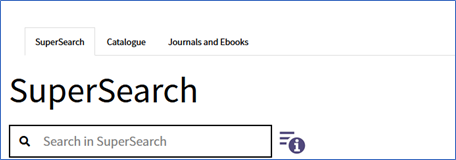
1. Figure – Search boxes on the webpage of the Library of Corvinus University of Budapest
OPAC – Open Public Access Catalogue
The OPAC mainly contains the library’s physical holdings (printed books and periodicals), but there are also a small number of electronic periodicals. If a printed book has an electronic version, this is also indicated in the OPAC.
A record in the OPAC tells you how many copies of a given title are available, its location (Reading room and shelf), borrowability and availability. We have books in a closed storage area, they are also borrowable.
The loan period is 2 or 4 weeks, depending on the book, and only those books are borrowable that have a white stripe on the spine, even together with a yellow one. If you only find a yellow, that book can be used only on site. 8 books can be borrowed at a time; use the self-check in/out machines to take them away. Loan renewal is possible 3 times if there are no reservations on the title.
To make reservations, renew your books remotely or request them from the stacks log in to the catalogue. To use these advanced functions, you need your Library card and your Neptun ID.
For information on renewals, reservations, overdue fines, and lost book replacement, please visit this page.
Journals and E-book search platform
In the Journals and Ebooks search, you can find full-text electronic journals and e-books and the bibliographic data of print journals. Use it when looking for a specific online journal, an article, an electronic book, or a chapter. You can also access these remotely using VPN. Always start your search with the title of the journal or the e-book.
Once you have found the journal/e-book you are looking for, under Full Text access you can check its full-text availability (database, period) e.g.:
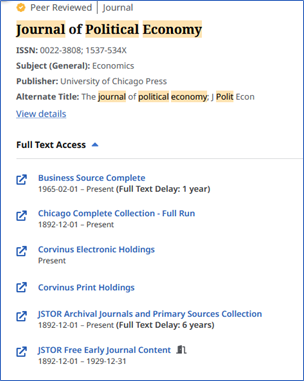
2. Figure – result list in the e-journal search platform
SuperSearch
SuperSearch is recommended for topic searches. It simultaneously searches the catalogue, subscribed and free databases containing scholarly literature and several other free, relevant sources. It contains mainly English-language literature. You can refine your search by entering more keywords, using logical operators and other search techniques, and narrowing down to specific fields. After the search, you can save relevant documents.
Databases containing financial, statistical data or legal sources (e.g. Refinitiv, Statista, Jogtár) are not included in SuperSearch; check them separately from the thematic list of databases. For further information, check the Databases section.
Steps for an effective topic search:
-
- creating the topic sentence (a sentence containing the most important keywords of the topic)
- selecting keywords and their synonyms
- combining keywords with logical operators, using other search techniques
- filtering to specific fields: our recommendation is the abstract, since if a keyword appears in it, it certainly will be relevant
- saving the results to My Dashboard or to reference management software. For more details, see the Reference Managers
 Video
Video
Topic Search process in SuperSearch
Game
Click on the following game to test your knowledge.
 Search tips for advanced users
There are additional filtering options in All filters (SuperSearch), such as language filtering or suggested subjects.
The difference between a subject and a keyword is that a keyword can be anything, while a subject is a predefined, more precise, narrower term, usually added to the document by experts.
If you get stuck in a search, try the snowball method: find an article among the results that is relevant and look at its references. This way, you may come across older articles, but you can at least get started with your search.
Repositories
The repositories are a collection of publications produced at the University of Corvinus. We have five different repos, collectively called the Corviversum.
One contains Corvinus research papers, another TDKs and MA/BA theses, while the 3rd one PhD dissertations. In addition, we have two historical repositories, one for university history and the other for the digital collection of Hungarian economic history.
If you are looking for a thesis topic, see previous theses written in the same field to get inspiration, or use their references as a starting point, to avoid writing on a topic that has been written about before. You can also check the repository of lecturers’ publications to see who is researching the field you are interested in. Later on, it can help you choose a supervisor.
Databases
In our databases, you will find authentic, reliable sources, no predatory journals, and you do not need to do source evaluation. Most of them are searchable in one or both search interfaces (Journal/E-book and SuperSearch), look for the symbols next to their names in the list:
Searchable in SuperSearch:
Package content is available in Ebooks and Journals:
If you need statistical, financial or legal data, the thematic breakdown, under the alphabetical list, can help. All our databases can be accessed remotely using VPN.
EduID access also works for some databases, and some require an individual account (e.g. Workspace, Orbis). For content and non-standard access information, see the description of each database.
EconBiz
EconBiz is the online platform of the Leibniz Information Centre of Economics (ZBW). Due to a contract between Corvinus and ZBW, you can access ZBW’s OA collection through their platform. It offers millions of online sources in the field of economics and related sciences. Their collection is available through their platform, from the database list or from SuperSearch’ Supplemental materials.
Their activity goes beyond offering online publications, their main aim is knowledge transfer. For more information, check their homepage.
Game
Click on the following game to test your knowledge.
Search techniques
The use of search techniques helps to narrow down and refine the topic. Basic techniques include the use of logical operators, phrase search and truncation.
There are three basic logical operators:
-
- AND: narrows down the results, only displaying those where both terms appear simultaneously: unemployment AND India
- OR: expands the hits. Returns results for any term: UK OR United Kingdom
- NOT: Excludes matches that are behind the operator: e.g. Car NOT Honda
Game
Click on the following games to test your knowledge.
Other search techniques:
-
- Phrase search: searches for related terms together using quotation marks, e.g. “ethnic minority”
-
- Truncation: replaces characters to increase the number of hits. In SuperSearch, two types can be used: ? Replaces one character while * replaces 1-5 characters. Example:
- econo* – the result is economy, economics, economic etc.
- wom?n: woman, women
- Truncation: replaces characters to increase the number of hits. In SuperSearch, two types can be used: ? Replaces one character while * replaces 1-5 characters. Example:
Their use is not limited to SuperSearch; they also work in other databases.
Game
Click on the following games to test your knowledge.
Search query from an abstract – 1
Remote access
You can access the library’s electronic resources even if the library is closed or you are not on campus. Access options:
-
- VPN: setup the VPN and log in to the Corvinus network before you start browsing
- EduID: browse your institution’s database provider (e.g. Emerald) and log in with CUSMAN. It does not require downloading any client before browsing, but it can be used only with some databases.
- Some databases require a personal account, e.g, Orbis, Refinitiv. For more information, see the database list.
Do not mix the two authentication methods, VPN and EduID, use either one of them or the other.
3. Module: Ctrl C – Ctrl V – References, plagiarism
The aim of the lesson: to familiarise users with the content and formal requirements of correct citation and referencing.
Requirements:
You have completed this lesson if:
- you know what references and plagiarism are, and you are aware of when to use references;
- you know the formal and content requirements of referencing;
- you know what paraphrasing and in-text referencing are;
- you can compile a list of references;
- you are familiar with the APA citation style and know how to use it.
Time required: you will need approximately 40 minutes to complete this lesson.
Key terms:
- reference, direct quotation, paraphrase;
- in-text citations (narrative and parenthetical), reference list;
- APA citation style;
- plagiarism.
~~~OOO~~~
Basic knowledge
A reference is when you include other people’s ideas in your paper, either verbatim or as a paraphrase, indicating the original source.
All written work must clearly show which ideas are the author’s own and which have been taken from others.
The sources cited must be clearly identifiable: in-text citations and the reference list, which contains more detailed information, support this issue. All external sources must be cited, whether they are text, figures, diagrams, etc., but not commonly known facts (e.g. paprika contains vitamin C).
Why to cite sources?
- it indicates your knowledge about the subject, showing that you have found relevant authors and works on the topic and that you are reflecting on them;
- it supports your ideas and thoughts;
- it makes the literature you have used traceable for others;
- you can avoid ethical misconduct and plagiarism.
Game
Click on the game below to test your knowledge.
Types of references
There are two basic ways to cite sources: direct quotation and paraphrasing (quoting the content). In both cases, you must provide the source of the quoted text.
Direct quotations can be used when quoting definitions, apt phrases, legal provisions or interview excerpts. Do not quote more than 2-3 sentences verbatim; the APA standard sets this limit at 40 words.[1]
 Example
Some hints for direct quotations:
- If you omit something from the quoted text, mark it with three dots in square brackets, but be careful not to distort the original chain of thought.
“Be prepared to spend [at least] half a day in the […] library.”
- If the quotation does not begin at the beginning of the original sentence, place three dots after the quotation marks and begin the text in lowercase letters.
“…based on the survey, two-thirds of the population is affected.”
- If you modify a definition, figure or table, indicate this by adding “based on” or “using” after the reference.
Figure X: Figure title, (other data) based on own editing
- In the case of oral communication, the name of the interviewed person must also be indicated, unless requested otherwise. Avoid using unverifiable references too often. For more tips, see our guide on referencing interviews.
The formal elements of a verbatim reference are quotation marks in the text and the mandatory information (author’s surname, year, page number).
“An in-text citation is a short acknowledgement you include whenever you quote or take information from a source in academic writing. It points the reader to the source so they can see where you got your information” (Jackson, 2005, p. 16).
Paraphrase: A paraphrase is a concise summary of a longer text in your own words. In the case of a paraphrase, the source data of the work referred to must be given in the same way as in the case of a direct quotation.
The formal elements of a paraphrase are the author’s surname and the year of publication.
Example
Original text:
“What is the role of digital media in contentious politics? On the one hand, digital media plays a central role in informing the public and organizing political movements. On the other hand, it has become a valuable tool for digital repression in authoritarian states. This study concentrates on the patterns of digital media use by pro-government actors in times of nationwide protests in autocracies. It analyzes how pro-government actors establish control over political discourse and information flow online compared to pro-opposition and neutral actors.”
The work cited: Richmond, S. (2018). Broadcasting Messages via Telegram. Political Communication, 41(4), 509–530.
Paraphrase from the original text:
This study examines the role of digital media in contentious politics, focusing on pro-government actors’ use during nationwide protests in autocracies and analyzing how they control political discourse and information flow compared to neutral actors (Richmond, 2018).
We follow the APA standard in the examples.
Where to cite?
You must cite your sources in two places in the text: in the body of the text (in-text citations) and in the reference list. Anything you cite in the body of the text must appear in the reference list, and vice versa: anything included in the reference list must be cited in the main text.
In-text citations
An in-text citation is only an allusion. When referencing, make it clear where the statement you are supporting begins and ends. There are two types of in-text references: parenthetical and narrative references.
- Parenthetical references: they come at the end of the quotation, indicate the author’s surname, the year and, in the case of a verbatim quotation, the page number in parentheses.
Example
“Heavy social media use can be linked to depression and other mental disorders in adolescents” (Taylor, 2021, p. 43).
- In the case of narrative references, the reference is embedded in the text, and the elements of the reference are separated. The author and the year are included in the text, followed by the page number (in the case of a direct quotation) at the end of the sentence.
Example
Taylor (2021) found that “heavy social media use can be linked to depression and other mental disorders in adolescents” (p. 43).
The reference list
The reference list is a list of works that you refer to verbatim or as a paraphrase in the main text of your thesis.
Although the reference list is placed at the end of the thesis, reviewers usually read it first. This allows them to see whether you have found the most important works on the topic and how well-informed you are on the subject.
The basic formal features of a reference list are as follows:
-
- there is no numbering,
- it starts on a new page,
- works are listed alphabetically by the author’s surname; if there is no author or editor, use the title.
See this guide for examples of how to use in-text citations and the reference list in a continuous text.
Citation styles, citation standards
The citation style determines the mandatory elements of a citation and their format.
There are different standards for different fields. In the social sciences (including economics), the APA style is widely used, while in legal studies the Oxford, in the humanities the Chicago, and in literature and the arts the MLA-style.
At Corvinus, the recommended and widely used standard is APA. You can find useful information on referencing document types on the APA website, and the latest version of their manual, Publication manual of the American Psychological Association: The official guide to APA style. This manual is available in the Social Sciences Reading Room in print.
Mandatory data elements by APA standard
We only list here the most common document types; further examples can be found on the APA website and in our detailed guides entitled References by document type and APA 7th edition citation for business sources.
Book
Author’s surname, initials of first name. (Publication year).Title (Edition). Publisher.
Kornai, J. (1982). A hiány (2nd ed.). Közgazdasági és Jogi Könyvkiadó.
It is recommended to include the edition in parentheses after the title.
In the reference list, use a comma between authors’ names and & in front of the last author.
If the book is edited, i.e. contains several essays, indicate it has an editor, e.g., Kesharwani, P. (Ed.).
If an e-book has a DOI, it should be placed after the publisher.
Book chapter
Author’s surname, initials of first name. (Publication year). Chapter title. In Editor’s surname, initials of first name. (Eds.), Book title (pp. page number from-to). Publisher.
Lengyel, Gy., & Vicsek, L. (2004). Individual and social components of insecurity. In Kolosi, T., Tóth, I. Gy., & Vukovich Gy. (Eds.), Social report (pp. 484-499). TÁRKI.
References should be made only to chapters of edited books; otherwise, cite it as a whole book.
If the e-book chapter does not have a page number, omit it from the reference.
If the chapter has a DOI, add it after the name of the publisher in the reference list.
Journal article
Author’s surname, initials of first name. (Publication year). Article title. Journal title, volume(issue), page number from-to. DOI or URL
Middleton, J. (2011). The test of time: Neuropsychological approaches to children: Towards a developmental neuropsychology. Clinical Child Psychology and Psychiatry, 16(2), 247-251. https://doi.org/10.1177/1359104511404364
If the journal article has an article number instead of a page number, use the word “Article” and add the article number. e.g: PLoS ONE, 13(3), Article e0193972.
If the journal does not use a volume, issue and/or article or page number, omit the missing element(s) from the reference.
Game
Click on the game below to test your knowledge.
Other tips
Below, we share some additional information on the topic of managing references.
List of references, bibliography
There are different types of document lists required for a paper, but their content may vary. Pay attention to which one is required for your paper.
- List of references (synonyms: Citation list, Reference list): all works you have referred to in your paper.
- Bibliography: a systematic list of references that includes comprehensive literature relevant to the work.
Game
Click on the game below to test your knowledge.
Cross-reference (or secondary source reference)
A cross-reference is when you refer to a work that is cited in another work without reading the original one. In such cases, both works should be referenced in the text, e.g. (Rabbitt, 1982, cited in Lyon et al., 2014), but only the source you have actually read should be listed in the reference list.
Avoid using them whenever possible; only use them if you do not have access to the original work or if you do not understand the original language, etc.
Own translation
Own translation is considered a paraphrase and not a verbatim citation. In addition to providing the author and publication year, it is recommended to include the original work’s page number. The information that you have done the translation is not necessary; do not present it. List the original work in the reference list.
Transliteration
Transliteration/romanisation means rewriting the original citation written with non-Latin characters (e.g. Russian, Chinese) into Latin ones. It is necessary to provide the translation of the title in the reference list in square brackets.
Example:
Original: Набоков, В. Комментарии к «Евгению Онегину» Александра Пушкина. москва: нпк, 1999.
Transliterated: Nabokov, V. (1999). Kommentarii k ‘Evgeniiu Oneginu’ Aleksandra Pushkina [Commentaries on Pushkin’s ‘Eugene Onegin’]. Moscow: NPK
This romanisation tool can help.
Miscellaneous
- Citing an author’s several works from the same year: (Smith, 2021a), (Smith, 2021b)
- Citing more works from the same author written in different years: put publication year in ascending order (Smith, 1982, 1986, 1990)
- Citing more authors in one bracket: list them alphabetically, use ; among them: (Smith, 2021; Taylor, 2010)
- No page number is necessary at a verbatim citation if citing from an e-book.
Footnote
Unlike other styles (e.g. Oxford style for legal sources), APA style does not place references in footnotes, but within the text itself as mentioned above. Footnotes should be used to provide additional information or explanations that interrupt the main chain of thought in the text.
Plagiarism
Plagiarism is when you present someone else’s work as your own work.
According to the BCE Code of Ethics:
“Plagiarism is committed by anyone who uses external sources in his/her work while failing to comply with professional expectations and rules or to use correct references.” (BCE Code of Ethics, 2011.)
The following may constitute plagiarism:
-
- copying someone else’s text without citing it,
- incorrect or incomplete referencing, even if unintentional,
- false paraphrasing (replace words with synonyms),
- patchwork-writing: copy-paste texts from separate works to create your paper; this is problematic even if you cite all external sources,
- if you have your paper written by someone else but submit it as your own,
- you resubmit your own work without any changes to another course/university,
- using your own previous work without citing (self-plagiarism).
For further information (severity of plagiarism, sanctions), please refer to the following university regulations and guidelines:
Game
Click on the game to test your knowledge.
What is considered plagiarism?
Plagiarism test for advanced users
 Do you have any questions?
MS Word, various reference generators, reference management software, and certain AI tools can also help with creating references. For details, see Module 4 on Reference Management tools.
4. Module: Reference Management tools
In this material, we offer several solutions for managing references, ranging from the option in Microsoft Word to citation generators and to reference management software. We introduce several AI tools for creating citations, highlight their advantages and disadvantages, and provide tips for effective prompting.
We do not cover the basics of referencing (types, places, and forms of references, referencing styles); those are available in the Ctrl C – Ctrl V: References, plagiarism course material.
Managing references
When conducting research, using a tool that helps manage references, insert them into the text, and create a list of references can boost your confidence and efficiency in scholarly work.
Citation styles
The citation style determines the mandatory elements of the citation and their format. The number of citation styles available in the software varies. Zotero and Mendeley support more than 10,000 styles, while EndNote Web supports approximately 50 styles.
Different styles exist for various fields of science. In the social sciences (including economics), APA is widely used; in law, Oxford; in the humanities, Chicago; and in literature and the arts, MLA. In addition, some journals may require their own style.
At present, there is no mandatory style at Corvinus University; the Study and Examination Regulations recommend APA. During university work, the lecturer/supervisor/department may determine which style to use; if no such regulation is made, we recommend that you use APA. As a basic rule, the same style should be used throughout a work. In the reference management software, styles can be changed freely with a single click, even in the finished work.
There is usually a separate website or manual for each citation style. In the case of APA style, the latest (7th) version is available in the Library, and the previous version is available free of charge on the official APA website. If a rule has been changed, it is indicated next to the entry. This usually occurs with newer types of documents (such as blogs, online media, etc.).
MS Word, References menu
In this menu item, you can record the data elements of the documents, from which Word can generate in-text references and a list of references in several different styles.
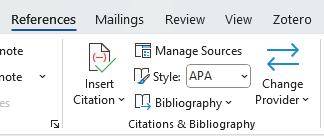
Since each data element must be entered manually, you need to know exactly what type of document you are working with, which category each data element belongs to, and how it should be added. Without this information, the reference will be incorrect.
Limitations: the number of available reference styles is limited, and it might not include the latest version of the style, e.g. in the case of APA, it offers version 6 instead of 7 (January 2026).
Another problem is that it does not handle multi-author works correctly in APA style: according to the rules, if there are more than 2 authors, the first author must be indicated, and the other authors must be referred to as et al., but according to the test, all three authors were listed:
(Smith, Stuart, & John, 2025) – This is incorrect according to both APA versions 6 and 7.
Correct version: (Smith, et al., 2025)
Reference management software
Compared to the tools presented above, citation management software has more features, of which the following are essential:
- collect, store and organise the sources used
- prepare in-text references (in a form that can be inserted while writing) and the list of references
- handle different citation styles.
Although none of them work with 100% accuracy, their use significantly reduces the time spent on managing references.
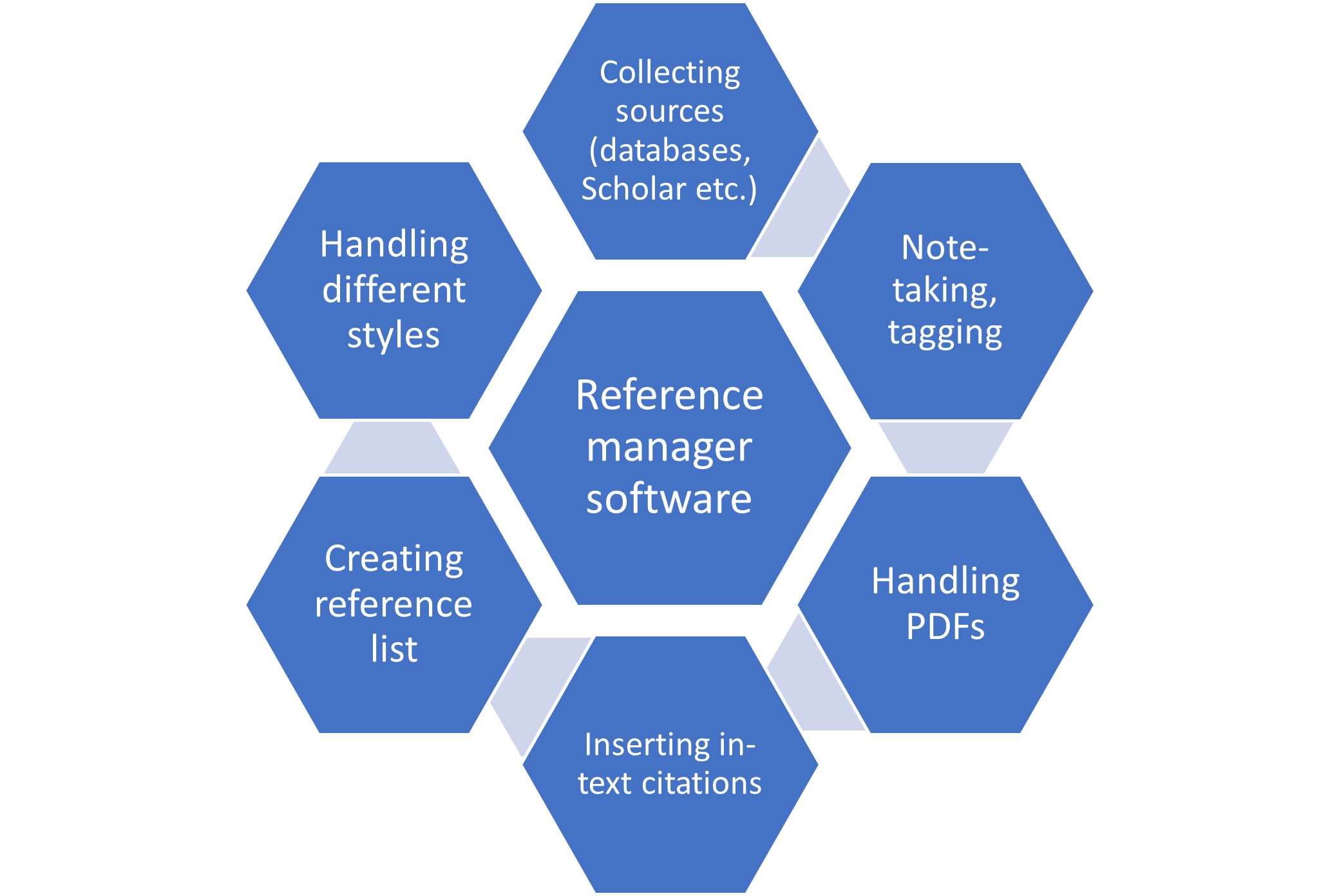
1. Figure: The diversity of reference management software
There are countless reference management software programmes available, some of which are free to use and others that require a subscription. Among the best-known free ones are Zotero and Mendeley, while EndNote Desktop is a subscription-based version. The web version of EndNote, which is part of the subscribed Web of Science database, is available free of charge during university studies (on the university network or remotely via VPN).
|
|
EndNote Web |
Mendeley |
Zotero |
|
Price |
Free with WoS database subscription |
Free |
Free |
|
Access |
web |
web version, synchronised with desktop version |
desktop version, synchronised with web version |
|
Storage capacity |
2 GB |
2 GB |
300 MB |
|
Operating system |
Mac, Windows |
Mac, Windows, Linux |
Mac, Windows, Linux |
|
Service provider |
Clarivate |
Elsevier |
Open source |
|
Web and Word plugin |
Yes |
Yes |
Yes |
|
PDF editor |
No |
Built-in |
Built-in |
1. Table: Comparison of basic features of free reference management software
General features:
- Using a browser extension, document data (including full text in the case of subscribed or OA sources) can be saved from databases (e.g. JSTOR, Scopus, etc.), search engine results (e.g. Scholar), and random web pages.
- A plugin helps to insert in-text references, which typically works in several types of text editors (Word, LibreOffice, Google Docs). The plugin can be used to manage single- and multi-author works, insert page numbers, and enter data from edited volumes, both for narrative and parenthetical references.
- Data can also be entered manually for printed documents or using some other identifiers, such as an ISBN or a DOI for electronic records.
- Notes and tags can be added to saved documents; these, as well as highlights, notes, and annotations made in PDFs, are also stored by the software.
- Saved data can be transferred from one reference manager to another in .ris format, but it is advisable to commit to one specific one to avoid data loss.
- Service providers support users with direct assistance and/or training materials.
The most well-known reference manager software
Below is a brief introduction to the most well-known reference manager software, highlighting its significant features and unique functions.
Mendeley
Provided by Elsevier. The basic features are free, but AI-supported features require a subscription. The web version is under continuous development, and the desktop version remains functional but has not been updated since the summer of 2025. Synchronisation between the two versions is automatic.
Method of collecting references:
- downloading from the web (Web Importer plugin)
- importing a specific folder containing PDF files
- automatic import from a specific folder (Watched folder)
Documents can be organised into different folders, and tags can be added to individual documents. It has an in-built PDF editor; text highlighting and comments are automatically saved in the PDF editor’s Notebook function.
Shared folders (Groups) facilitate joint research with other researchers.
The Mendeley Cite plugin (for inserting references) can be downloaded from the Microsoft App Store using your Microsoft account. In Word, it is available under Add-ins and requires Elsevier registration, which frequently causes technical issues.
In Mendeley, there are several subscription-based research-supported AI features, e.g., Reading Assistant, Ask My Library, and Compare Experiments. Reading Assistant can be tried out on a limited basis: 5 questions can be asked.
User guide: https://www.mendeley.com/guides
Zotero
Zotero is an easy-to-use, rapidly evolving, open-source, free product. The disadvantage is that the free version only provides 300 MB of storage in the web version, which is equivalent to approximately 100 full-text PDFs. This problem can be easily solved by storing the full texts on your own computer instead of uploading them to the cloud, or by purchasing additional storage space. The 2 GB of storage space offered by the other two software programmes costs USD 20 per year (as of January 2026).
For a detailed introduction to Zotero, see the Zotero 8 – User Guide. Throughout the semester, we usually offer Zotero training and consultation sessions. Keep an eye on our current training courses.
Additional features in Zotero:
- It automatically extracts the data necessary for referencing from PDFs
- An in-built link resolver checks in the Corvinus Library collection the full text of a reference taken from another source (Open URL feature).
- In the case of recalled or modified articles, the Retraction Watch plugin is automatically activated and warns you if you want to use such a source.
- Third-party plugins can also be integrated, e.g. Scite.ai
The developers provide Zotero support. Upon registration, you can ask questions directly on the Forums.
Endnote Web (Web of Science)
EndNote Web is available free with a Web of Science subscription. Registration in Web of Science is required to use it. The software can be found on the WoS interface under Products:
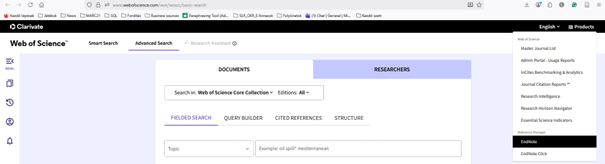
A unique feature is that it offers direct access to countless scientific and academic sources and library catalogues (Collect/Online search).
Problems and their solutions
Reference management software can only generate correct references if the data it saved, or you entered manually, is accurate. When documents are saved from various sources (repositories, OA sites, search engines), the data may be inaccurate or incomplete. These can be edited after saving, even if they have already been used in the work.
We have also seen examples when reference management software automatically fills in missing page numbers for electronic articles or misidentifies the document type. For this reason, you should always check the generated citation.
Another problem is that the default language of the reference manager software is English, so Hungarian authors’ names are also rendered in English. Because of that, the comma follows the surname also in Hungarian names, and, in some cases, double-letter first names are truncated (Cs becomes C). Currently, there is no Hungarian APA standard, so issues that arise must be resolved manually.
Some academic sources provide examples of the reference next to the article, but be careful, they might be incorrect, as in the example below.
Foreword to the thematic issue of the Tourism Bulletin “I. Tokaj-hegyalja Tourism Conference”
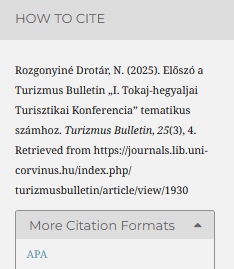
The mistake is that in APA style, there is no need for the phrase “Retrieved from” – just the URL:
The correct version is:
Rozgonyiné Drotár, N. (2025). Előszó a Turizmus Bulletin „I. Tokaj-hegyaljai Turisztikai Konferencia” tematikus számhoz. Turizmus Bulletin, 25(3), 4. https://journals.lib.uni-corvinus.hu/index.php/turizmusbulletin/article/view/1930
To achieve better results with the reference manager software, you need to know the type of document you are referencing and be familiar with the referencing style.
Reference Management with AI-tools
Artificial intelligence (hereafter: AI)-based tools can be used for reference management to make academic work easier and faster. There are plenty of tools available to help generate references or check the accuracy of existing ones. AI also carries significant risks in this area, which must always be taken into account.
AI tools for citation generation and verification
Citation-generating tools
What are they good for?
They help to automatically generate academic citations based on DOI, URL, ISBN, or the title of an article or book. Most of these tools support the main citation styles (e.g., APA, MLA, Chicago, Harvard).
How do they work?
These tools connect to platforms that index scholarly publications (e.g., CrossRef), retrieve bibliographic data (author, title, journal, year, etc.), and format the citation according to the requested style guidelines.
What to keep in mind?
- They work more or less accurately, but errors or missing information may occur (e.g. with rare publications), so the final citation always needs to be checked.
- Their interfaces are predominantly in English; the content of the references can be freely used in Hungarian texts as well, but a built-in translation function is often missing.
- Many of these tools are basically free or offer a limited free version; premium features often require a subscription fee.
Examples of reference generation tools
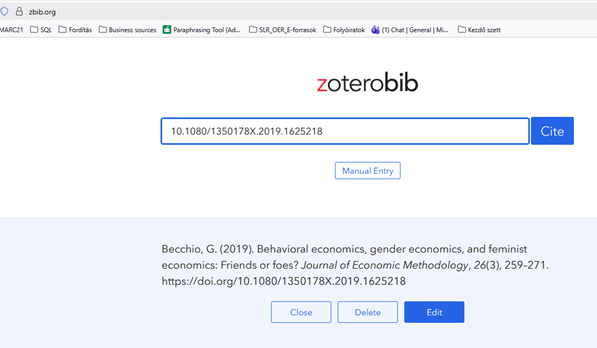
ZoteroBib
ZoteroBib is the online reference generator from the developers of Zotero. Its advantage is that it requires no installation or registration.
The disadvantages are that it does not work in incognito mode, and that the citations created are lost when the browser history is cleared.
Another issue is that it might not find the document or create an incorrect citation e.g.:
A working paper in RePEc: https://doi.org/10.22004/AG.ECON.391435
- The citation in Zbib: Hanifah, V. (2025). Empowered or just a metric index? Women in Indonesia’s dairy household. https://doi.org/10.22004/AG.ECON.391435
- The correct citation: is: Hanifah, V. (2025). Empowered or just a metric index? Women in Indonesia’s dairy household (Working Paper No. 391435). Crawford Fund. https://doi.org/10.22004/ag.econ.391435
It searches for documents based on the study’s title, DOI, URL, or other identifiers, and creates the reference accordingly.
MyBib
MyBib Advantages: free, no registration required, creates both in-text citations and reference list entries.
Disadvantages: it supports relatively few styles, and searching by identifier or title is available for a few document types (books, journals, websites, videos); for other document types, data elements must be entered manually. Advanced features require a subscription.
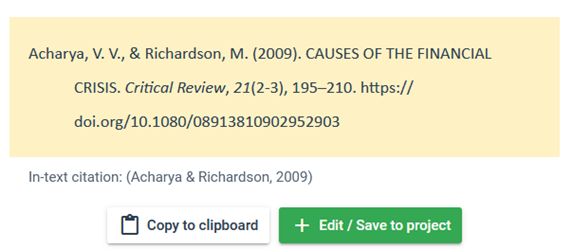
Be careful!
The generated citation is incorrect in APA 7th. The correct version is:
Acharya, V. V., & Richardson, M. (2009). Causes of the financial crisis. Critical Review, 21(2–3), 195–210. https://doi.org/10.1080/08913810902952903
It is essential always to check the generated reference and modify it if necessary. For longer-term, more in-depth research, it is better to use some reference management software.
Citation-checking tools
What are they good for?
Large language models and other AI tools can generate information and references that appear authentic but never actually existed. Reference-checking tools can detect this and verify the authenticity of sources by using platforms and databases that index scholarly publications (e.g., CrossRef, Google Scholar).
How do they work?
The pasted reference or uploaded full bibliography is compared with existing scholarly databases, and flags sources that cannot be identified, have incorrect metadata, or refer to retracted articles.
Examples of citation checking tools
Large Language Models (LLMs) and references
Hallucination
LLMs do not ‘search’ for references from a database; instead, they generate text that looks like a citation, based on statistical probabilities.
Why does AI hallucinate references?
- They do not have automatic access to scholarly databases, and they do not verify whether an article, book, or website actually exists. The language model essentially predicts text rather than searching a database, unless it is explicitly connected to a search engine or a source verification tool.
- Their knowledge is based on their training data, so they only know the information that was included during their training. They are not aware of sources published afterwards unless the AI tool is integrated with a live internet search option, in which case it can retrieve up-to-date information.
- They generate text that appears likely to be correct, because they operate learned patterns rather than factual verification. As a result, they can create references that appear credible, but they generate authors’ names, titles, and dates based on learned patterns.
- They do not reliably indicate their uncertainty and may present invented references with the same confidence as genuine ones.
How to use LLM tools for references?
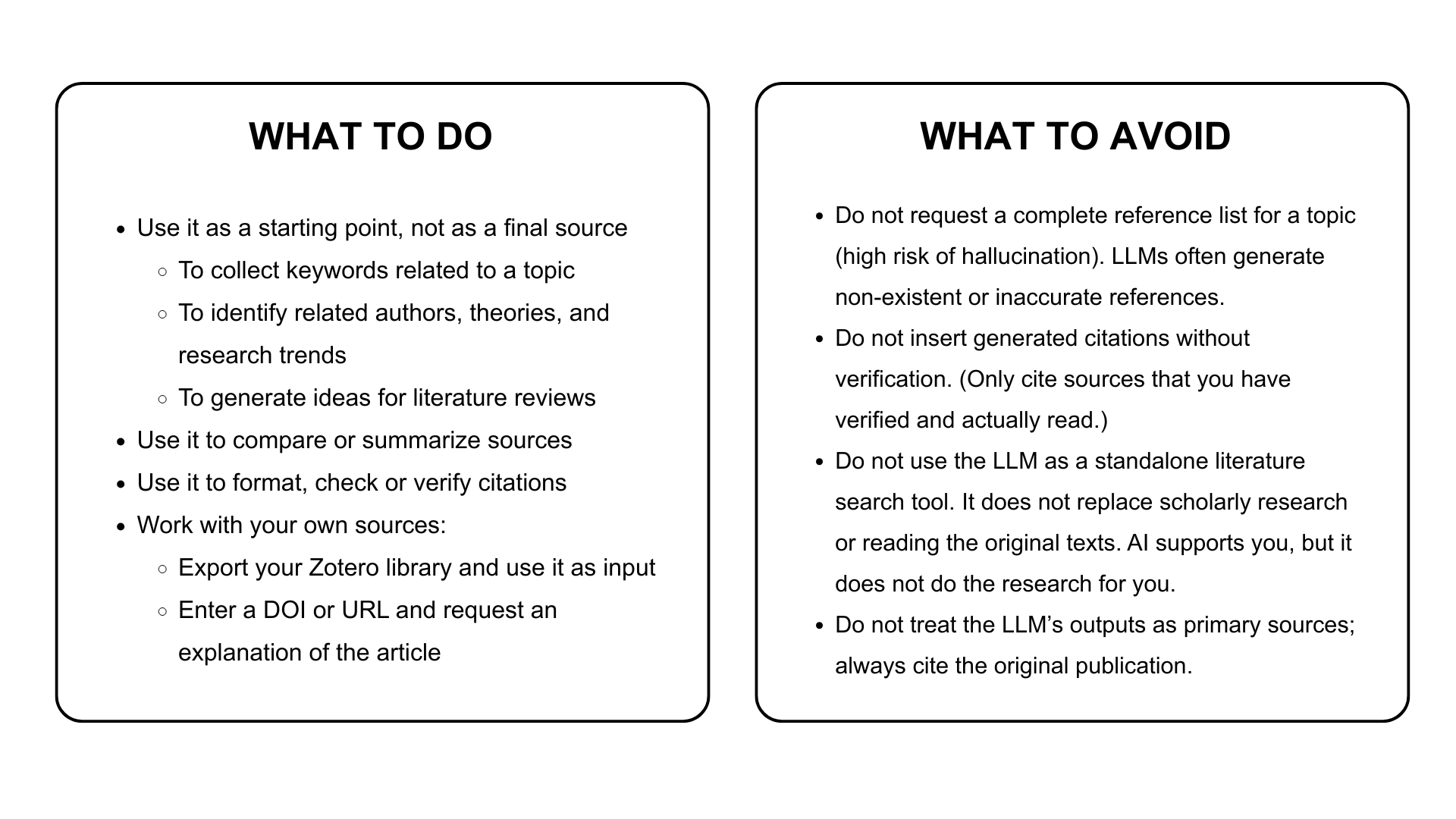
LLM tools can assist with formatting and checking references. To ensure accuracy, it is advisable to provide clear and detailed prompts.
Be aware: Always check citations generated or checked by AI tools against the official rules of the citation style or your tutor’s requirements!
Suggested LLM tools
LLM-based AI search engine
Example prompt for formatting a reference (APA style)
Hint:
The more specific the information you provide e.g., citation style [e.g., APA 7], assignment task [creating or checking], checking criteria, desired output, etc., the more reliably the LLM tool can assist you.
-
- Create the following book reference according to the APA 7 standards using the bibliographic data below, and indicate if any required element is missing:
Author(s):
Title:
Year of publication:
Publisher:
- Create a bibliographic reference in APA 7 format for the article using the bibliographic data below.
Authors:
Article title:
Journal title:
Publication date:
Volume:
Issue:
Pages:
DOI/URL:
- Create a consistent APA 7 reference list in alphabetical order using the sources listed below and indicate if any information is missing.
[Provide sources – DOI, URL, author, etc.] - Create a bibliography entry in APA 7 style using the source below and show the corresponding in-text citation format.
[Provide sources – DOI, URL, author details, etc.]
- Create the following book reference according to the APA 7 standards using the bibliographic data below, and indicate if any required element is missing:
Example prompts for checking references (APA style)
Hint:
The more specific the information you provide e.g., citation style [e.g., APA 7], assignment task [creating or checking], checking criteria, desired output, etc., the more reliably the LLM tool can assist you.
- Check whether the following reference complies with the rules of the APA 7 citation style. Highlight any errors and provide a corrected version as well.
[references uploaded as an image or document] - I will provide a reference list. Your task is to:
- – Check each reference by APA 7 guidelines (authors, year, title formatting, italics, publisher, DOI/URL, etc.).
- – Identify any errors or inconsistencies.
- – Provide a corrected version for each incorrect reference.
- – Explain the error briefly.
- – Do not summarise the content of the sources; simply check that the formatting is correct.
- – Let me know when you’re ready, and I’ll upload the reference list in PDF or DOCX format.
Keep in mind
Never accept any AI-generated reference without checking it
This is the most important rule. Check every reference in the source:
- Look up the DOI in a reliable database or via library search interfaces.
- If the DOI does not resolve → the reference is likely fictional.
- Check all metadata: authors’ names, article title, journal name, year, page numbers etc.
The use of AI tools must be acknowledged.
According to university regulations, AI-generated content must be cited. You find the relevant guidelines for referencing AI usage here.
5. Module: Critical thinking, source evaluation
The aim of the lesson: to familiarise users with the criteria of source evaluation
Requirements:
You have learnt this course material properly if:
- you know what an academic source is;
- you know what source assessment or evaluation means;
- you know the key elements of quality assessment;
- you can identify a scholarly paper; you know its compulsory elements;
- you know the CRAAP test;
- you understand the differences between the key aspects of document types in quality assessment;
- you understand the concept of predatory journals and publishers;
- you understand the difference between scholar and pseudo-scholar platforms;
- you understand the concept of preprint servers;
Time required: you will need approximately 60-75 minutes to complete this lesson.
Key terms:
- source, source quality assessment, publication quality assessment;
- CRAAP test;
- predatory journals and publishers;
- pseudo-scholar platforms and their concept;
- preprint servers and their concept;
~~~OOO~~~
Source
Any material that provides information, facts, evidence, or data definitions to support your research, and that is fully or partially used for writing a paper. A source can be
- primary, which refers to the original document that provides you with first-hand, original evidence, results;
- secondary, which refers to the analyses, reviews of the primary sources;
- tertiary, which refers to a compilation and/or summary of the primary and secondary sources (e.g.: encyclopaedias, bibliographies).
The nature of a source, including its origin and intended purpose, is an essential consideration in academic contests.
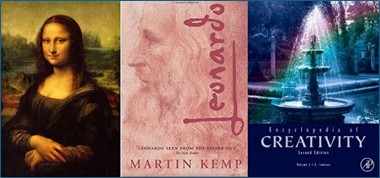
1. Photo – examples for primary, secondary, and tertiary sources (source: https://library.dewv.edu/PrimarySecondarySources)
Why is using good-quality papers so important?
When writing for an academic audience, you must ensure that any material you present and ideas you cite come from credible and appropriate sources for your assignment. It demonstrates that you understand the assignment and know how to find reliable, reputable, and academically approved sources, implying that you respect the conventions of your discipline.
Purpose and quality evaluation of different document types
Different document types require tailored evaluation strategies due to variations in format, purpose, and standards.
Books (monographs, edited volumes) provide an overview of a topic and contain broad, comprehensive content, such as in-depth analysis, background theories, and extensive discussion, so they don’t reflect the most recent research. They are best for understanding foundational concepts, historical context, and detailed explanations.
- key points: broader in scope, provide in-depth analysis or synthesis
- quality indicators: publisher’s reputation (university presses, academic publishers), author(s)’ expertise, citations, reviews from scholars, and updated, revised editions
Articles in periodicals:
Peer-reviewed articles: published by scholarly journals, focus on specific research questions or studies by using detailed methodologies, data analysis, results, and discussions of findings. They are best for keeping up with the latest scientific evidence, current research, and specific studies within a field.
- key points: published in reputable academic journals on a specific subject to rigorous peer review
- quality indicators: author credentials, transparent methodology, comprehensive references, reproducibility, and presence of conflict-of-interest
Magazine (educational) articles: published in non-scholarly journals, focus on informing and educating non-professional audiences.
- key points: intended for a general audience, usually lack depth or academic rigour
- quality indicators: publication reputation, fact-checking practices, cited sources, and absence of sensationalism
Newspaper articles: daily papers with the latest news.
Conference proceedings include research papers, projects presented at academic or professional conferences. They may not be as thoroughly reviewed as journal articles. They are best for observing recent developments and/or the emerging trends in a field.
- key points: present cutting-edge research with the latest and most modern results
- quality indicators: conference reputation, peer-review process, author credentials, and subsequent publications in journals
Web sources (blogs, social media, websites)
- key points: variable quality, frequently updated, but lacks oversight
- quality indicators: domain (.com vs. .edu, .gov, .org), author identification, evidence of editorial oversight, and purpose of content.
Gray literature
Working papers are published freely by research institutes and provide preliminary research findings or early versions of studies, similar to journal articles, but are usually not peer reviewed. They are best for accessing cutting-edge ideas or ongoing research before formal publication, but use with caution as findings may change after peer review.
- key points: not always peer-reviewed but made by experts and present an ongoing, valid, up-to-date research
- quality indicators: publishing body (research institution), series name
Government and institutional reports offer a variety of public issues, including detailed technical reports and policy analysis, as well as data, statistics, and official findings. They are best for reliable statistics, policy context, and authoritative information. Although they are generally credible and well-documented, they can be influenced by political perspectives.
- key points: authoritative and data-rich, used for policy and statistics
- quality indicators: publishing body (e.g., government, UN, WHO), transparency of data sources, methodological rigour, and objectivity
Theses, PhD dissertations
A PhD dissertation is an extensive, original research document that contributes new knowledge and is required for a doctoral degree.
A thesis is a detailed investigation of a specific topic, demonstrating the student’s understanding and ability to conduct scholarly research.
None of them is peer-reviewed; evaluate the research methodology, data quality, and conclusions critically before relying on them.
- key points: not peer-reviewed; may take time to be published, verify if there are more recent studies on the topic
- quality indicators: often contain comprehensive literature reviews and detailed methodology sections, use them to find other valuable sources and deepen your understanding.
AI-generated publications
The prevalence and number of AI-generated publications are rapidly increasing in the academic fields. AI can quickly generate drafts, summaries, or data analyses, saving time, and it can be a useful and valuable tool if used responsibly, with careful oversight and ethical consideration. However, AI can produce errors, incorrect, inaccurate, or misleading information, or lack context. The output quality is determined by the AI model and its inputs.
- key points: to avoid plagiarism, it is important to verify and take responsibility for all information, correctly cite and rewrite AI-generated language, and refrain from infringing on others’ work or data.
- quality indicators: always include a disclosure or acknowledgment if any AI tool was used to create the paper. AI is employed to help research, not to replace actual analysis or writing.
Examples of acknowledgement of AI-usage in scholarly articles:

1. Figure – example of AI disclosure in a scholarly article
AI-generated publications can be useful and effective tools if used appropriately and responsibly, with close supervision, careful monitoring, and ethical consideration. Researchers should treat AI as a useful and supporting assistant, rather than a replacement for their knowledge, expertise, and judgment.
Source evaluation
A holistic and multifaceted systematic evaluation process of how well a source-to-be document meets the criteria and specific standards of a valuable and reliable scholarly work. Effective source evaluation considers various aspects of the work, including its technical content, structure, writing quality, and ethical integrity (referred to as intrinsic qualities), as well as the context in which it is used. Evaluating sources is a foundational skill for academic integrity and research excellence.
sources, implying that you respect the conventions of your discipline.
Key aspects of source evaluation
A publication is considered scholarly (or academic) and reputable when it meets several key criteria, such as:
Authority and Purpose
- The authors or institutions responsible for the work are typically scholars or researchers possessing advanced degrees and recognized expertise in the relevant subject area.
- The intended audience includes scholars, professionals, or students seeking an advanced and in-depth understanding of the topic.
Publication and Review Process
- Such works are generally published by reputable academic journals, professional organizations, or university presses known for their rigorous standards.
- Manuscripts undergo a thorough peer review by experts in the field to ensure accuracy, credibility, and academic rigor.
- Editorial review further evaluates the manuscript’s alignment with the publication’s scope and standards.
Content Quality and Technical Merit
- The content contributes original knowledge through new findings, theories, or critical analysis that hold significance for the field.
- Research methods employed are appropriate, rigorous, and reliable, ensuring methodological soundness.
- The work demonstrates a strong grasp of existing literature through an appropriate and comprehensive literature review.
- The presentation is logically structured, clear, and coherent, facilitating ease of comprehension for the target audience.
- The language and style are formal, precise, and free from bias, unsupported opinions, grammatical errors, or spelling and punctuation mistakes.
Structure and Presentation
- Articles typically follow a standardized format comprising abstract, introduction, methodology, results, discussion, conclusion, and references.
- Visual aids, such as illustrations and charts, are effectively utilized to support and clarify the textual content.
Evidence, Objectivity, and Ethical Considerations
- Claims are substantiated by data or citations drawn from reputable sources, ensuring objectivity and minimizing bias in content presentation.
- Authorship is appropriately acknowledged, and the work is original, with strict adherence to ethical standards regarding plagiarism.
- Data integrity and transparency are maintained, with clear disclosure of potential conflicts of interest.
- When applicable, informed consent and ethical approval are documented, particularly in research involving human or animal subjects.
Impact and Scholarly Engagement
- The work addresses relevant problems and holds the potential to impact the field significantly.
- It actively engages the research community, generating interest and discussion.
- Citations and references are comprehensive, acknowledging prior relevant research and enabling verification of sources.
These attributes guarantee that a publication is credible, authoritative, and beneficial for academic or professional purposes.
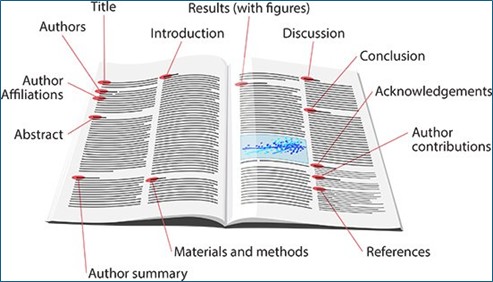
2. photo – compulsory elements of a scholarly paper (source: https://www.massivelybetterhealthcare.com/resources/how-to-read-and-evaluate-a-scientific-paper-a-guide-for-non-scientists)
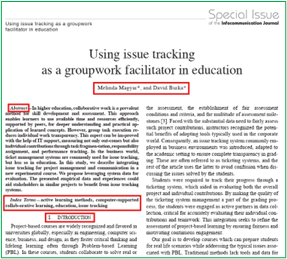
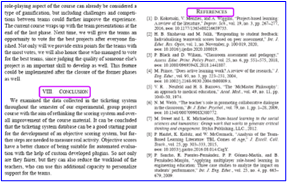
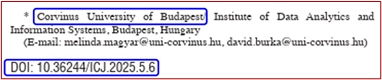
3. photo – compulsory elements of a scholarly paper in an existing article
The CRAAP test
The CRAAP test is a widely adopted assessment method in academia developed by an American librarian to evaluate the reliability and credibility of information sources. It provides you with a methodology and a list of questions to assess the quality, relevance, and value of the information that you have found. Applying the test helps researchers critically evaluate a source’s reliability for research purposes by asking questions about the publications they find. The CRAAP test helps to systematically filter out unreliable or inappropriate sources and ensures the robustness of academic work.
If you can add a positive answer to each question, the source is probably appropriate and acceptable to use. If a source fails in more than one indicator of the test, you are advised to search for more suitable option(s).
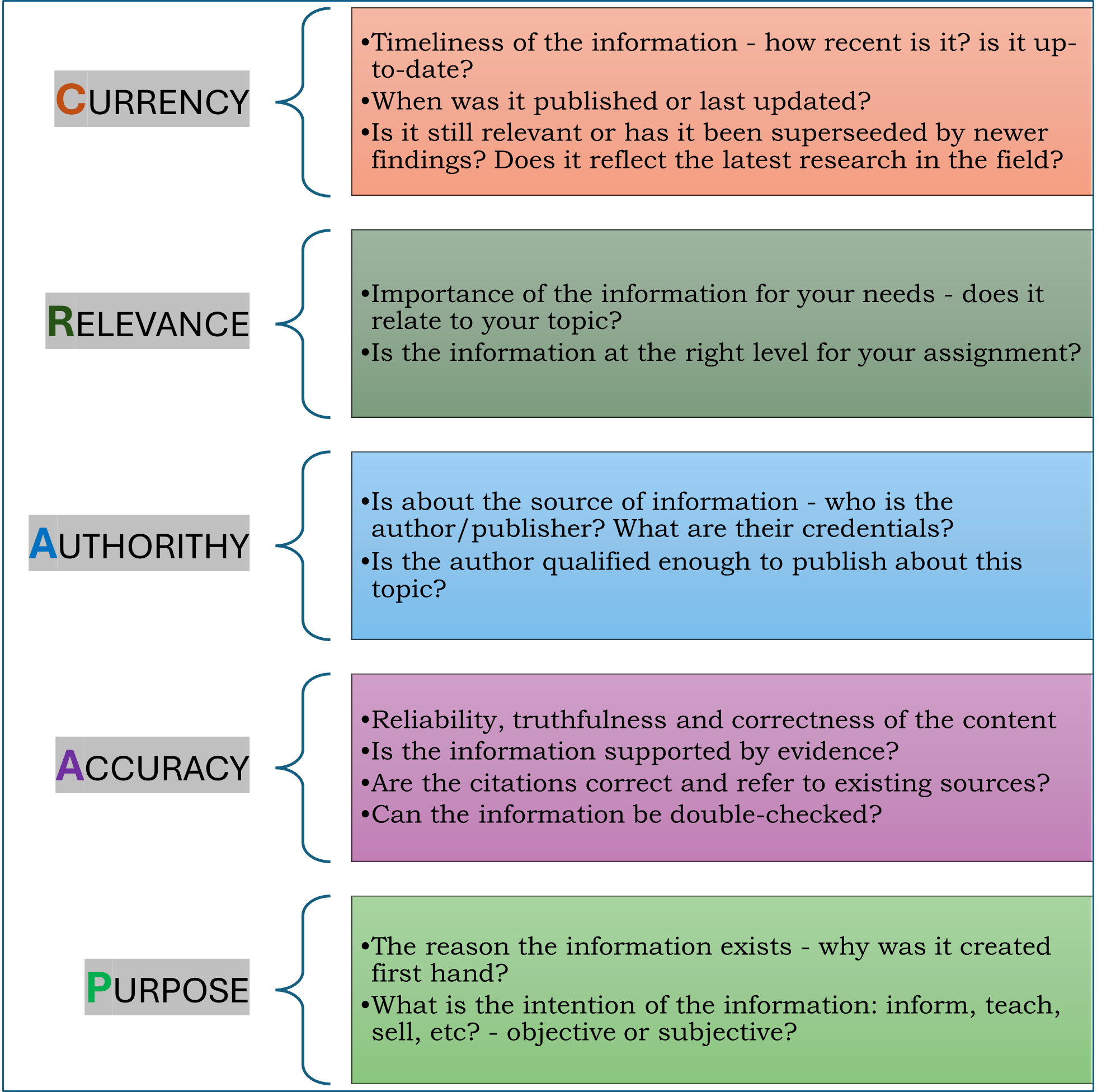
1. Figure – CRAAP test (own edition)
In rapidly evolving disciplines, it is crucial and essential to acknowledge that older information may become outdated or no longer relevant. When selecting a source, ensure it directly addresses your research question and corresponds with your academic or personal objectives and goals. Evaluating the authority of the source is crucial in determining whether the author possesses the necessary expertise to provide reliable information on the subject. Furthermore, verifying the truthfulness of the content is crucial to prevent dependence on false or misleading information. Finally, understanding the purpose behind the source helps reveal whether it is presented objectively or is intended to influence or manipulate the reader.
Here are some examples and guidelines about using the CRAAP test:

The Australian Education Research Organisation
Meriam Library at California State University
GAME!
Click on the game to test your knowledge.
How to avoid using unreliable sources?
Predatory publishers/journals
Both predatory publishers and journals exploit the open-access publishing model by charging authors fees to publish their work without providing legitimate peer review, proper editorial oversight, and professional rigour, which are essential for maintaining research quality. These publishers and journals prioritize profit over academic integrity, often accepting and publishing manuscripts regardless of quality or validity.
Predatory publishing is dangerous because it undermines the credibility of scientific research, disseminates potentially flawed or false information, and can damage the reputation of researchers who unknowingly publish with them. It also wastes researchers’ time, effort, and funding, and can hinder academic progress by flooding the literature with low-quality or unreliable studies.
Typical signs of predatory journals:
- Aggressive and unsolicited emails inviting you to submit papers.
- Promises of very fast publication with little or no peer review.
- Lack of clear information about editorial board members or fake editorial boards.
- Poorly maintained websites with spelling or grammatical errors.
- No transparent information about fees or hidden high publication charges.
- Lack of indexing in reputable databases (like Scopus, Web of Science, DOAJ).
- Fake impact factors or misleading metrics.
Why are they dangerous?
- Your research may be published without proper quality checks, harming your reputation.
- It can affect the credibility and dissemination of your work.
- Predatory journals may not be recognized by academic institutions, limiting career advancement or funding opportunities.
- They contribute to the spread of unreliable or low-quality research.
How to avoid publishing in them:
- Check if the journal is indexed in trusted databases relevant to your field.
- Verify the editorial board members and their affiliations.
- Look for clear peer review policies and publication ethics statements.
- Use established journal databases or directories like DOAJ.
- Consult with mentors, colleagues, or your institution’s library for recommendations.
- Be wary of journals that contact you out of the blue with publication offers.
- Use tools like “ Check. Submit.” to assess journals before submitting.
Find more information on predatory journals and publishers on the University Library website.
Beall’s list of potential predatory journals and publishers
A list of potential predatory open-access publishers created by a librarian, Jeffrey Beall. The list was intended to identify open-access publishers that did not conduct genuine peer review or a proper publishing process, even though they charged authors an article processing charge (APC) to publish their manuscript.
Wannabe (pseudo) scholar platforms
For PhD students, these platforms may serve distinct roles in the research lifecycle, ranging from literature discovery to professional networking. Although the platforms listed and described below are considered scholarly, researchers are advised to use them only as a starting point for background information and to consult original scholarly sources and peer-reviewed publications for academic work.
Wikipedia’s open-editing model allows anyone to modify articles regardless of expertise, increasing the risk that inaccurate, incomplete, or unverified information will appear in its entries. Unlike scholarly platforms that rely on a formal peer‑review process in which subject‑matter experts evaluate the validity and quality of content before publication, Wikipedia lacks a structured system of academic oversight. As a result, the quality of its articles varies considerably: while many pages are well‑sourced, others contain weak, incorrect, or unreliable citations, and some rely on sources that do not meet scholarly standards. In addition, Wikipedia is designed to summarize existing knowledge rather than produce original research, a core requirement in academic work. Its pages are also frequently updated, meaning that the information available at any given moment may change rapidly, making it difficult to cite a stable, authoritative version. For these reasons, Wikipedia can serve as a useful starting point for general orientation, but it should not be treated as a substitute for peer-reviewed or formally published academic sources.
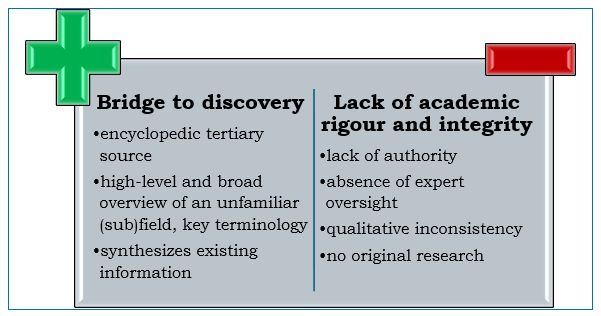
- Figure – pros and cons of Wikipedia
ResearchGate (RG) and Academia.edu (A.edu) function as open platforms that enable researchers to disseminate their work directly, yet the materials they host do not always undergo a formal peer‑review process, which limits their reliability as scholarly sources. Because these sites provide a wide range of content, including preprints, conference posters, and informal academic discussions, most of what appears there has most certainly not undergone rigorous academic scrutiny. Their open upload model, which allows any registered user to share papers, further contributes to significant variation in the quality and credibility of posted materials, often including unpublished or non-peer-reviewed work. Furthermore, RG and A.edu primarily operate as networking and academic‑visibility platforms rather than as publishers with editorial oversight, and this structure increases the risk of copyright violations when users upload materials without proper permissions.
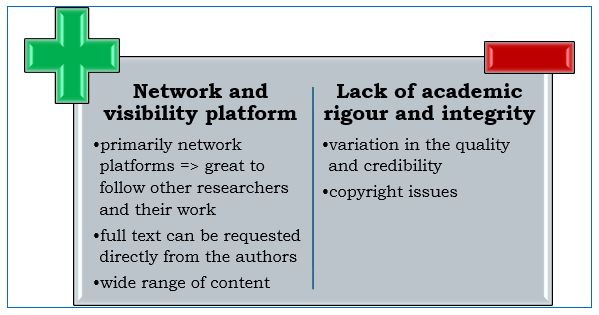
- Figure – pros and cons of ResearchGate and Academia.edu
Google Scholar (GS) is not considered a scholarly platform because it functions primarily as a search engine that aggregates academic materials rather than as a venue that produces, evaluates, or publishes original research. Although GS indexes articles, theses, books, conference papers, and other academic documents from a wide range of sources, it does not subject these materials to peer review or any form of editorial oversight. As a result, the platform includes content of diverse quality, credibility, and publication status, including unpublished or preliminary work from questionable sources. Its purpose is to help users locate scholarly content across multiple platforms, not to assess or guarantee the quality of the research it indexes. As a result, the credibility and academic integrity of the materials found through GS can differ significantly.
While GS is a valuable tool for discovering academic resources, it must be used alongside critical evaluation of individual sources and direct consultation of peer-reviewed journals or authoritative scholarly publishers.
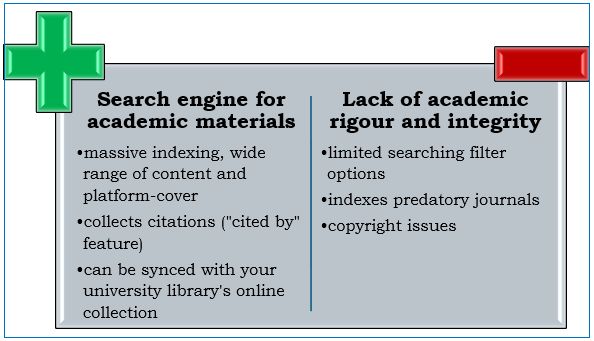
- Figure – pros and cons of Google Scholar
Semantic Scholar is a free-access, AI-powered academic search engine that applies natural language processing (NLP) to “read” and “understand” the context and meaning of the papers it discovers. It provides one-sentence summaries (TLDR = Too long, didn’t read) for millions of documents.
Semantic Scholar is not considered a scholarly platform because it functions primarily as a search and discovery tool rather than as a publisher, academic journal, or venue that produces or certifies original research. Although it indexes and organizes research papers from a wide range of external sources, it does not publish, peer‑review, or apply editorial oversight to the materials it aggregates.
While the platform focuses on scientific literature, the reliability of the papers it indexes depends entirely on the credibility of their original sources. Its primary purpose is to help researchers efficiently locate relevant academic publications, not to evaluate, verify, or certify the research it presents.
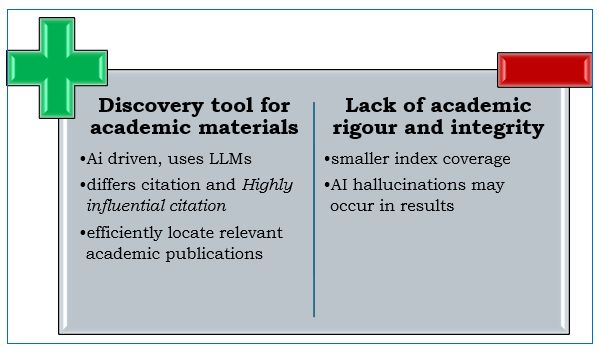
- Figure – pros and cons of Semantic Scholar
Preprint servers
Preprint servers are online repositories that allow you to share early versions of your research manuscripts before they undergo formal peer review. This enables immediate dissemination, prioritises your ideas, and increases your academic visibility. Many of them are discipline-specific.
Preprint servers offer various strategic advantages that can significantly impact a developing research career. These platforms facilitate rapid dissemination, allowing scholars to avoid the lengthy delays of traditional journal publication. By providing a public time-stamp, preprints help establish priority for original discoveries and ideas, effectively protecting researchers from being “scooped” by others working on similar topics.
Furthermore, these repositories encourage early feedback by enabling the academic community to provide critiques and recommendations before a paper is formally submitted. This feedback can help refine and improve the final manuscript. Finally, the open access nature of preprints increases visibility, ensuring that work is freely available to a global audience. It is often indexed by Google Scholar and ResearchGate, which can result in higher readership and earlier citation counts.
Although preprints offer many advantages, these manuscripts undergo no formal peer review and represent preliminary results that must be clearly labelled as such. It is also vital to verify journal policies before uploading, as while major publishers generally support preprints, you should consult the Open Policy Finder to ensure posting won’t disqualify your work from your target journal. Finally, consider that once a preprint is assigned a DOI, it becomes a permanent part of the scholarly record and typically cannot be removed, even if the research evolves or is later retracted.
Discipline-specific servers:
- arXiv (physics, mathematics, computer science, quantitative biology, quantitative finance, statistics, electrical engineering and systems science, and economics): a free distribution service and an open-access archive
- PsyArXiv(Psychology): dedicated to the psychological sciences.
- RePEc(Research Papers in Economics): a central index of economics research, including working papers, articles, and software code.
- SocArXiv(Social Sciences): an open archive for the social sciences.
- SSRN (Social Science Research Network) (social sciences, economics, law, business, humanities): commercial platform owned by Elsevier.
- TechRxiv(Technology): for electrical engineering, computer science, and related technology.
Multidisciplinary and general-purpose servers:
- OSF Preprints: Managed by the Center for Open Science, this service aggregates over 30 different preprint servers.
- Preprints.org: A multidisciplinary platform maintained by MDPI.
- Research Square: A large multidisciplinary server that often partners with major publishers like Springer Nature.
- Zenodo: A general-purpose repository developed by CERN that hosts preprints along with data and software.
Where to double-check the quality of sources
Retracted publications
A retracted publication is a scientific paper that has been formally and legally withdrawn from the scholarly record by its authors, editors, or publishers. They are usually flagged in databases to maintain transparency, but are not deleted. This informs readers that the paper’s results, findings, or conclusions may no longer be trustworthy and/or credible. Retraction protects and preserves scientific integrity by removing questionable or unreliable work from active consideration, even after peer review.
The most typical reasons for publication retraction are data falsification or fabrication, plagiarism, and compromise of the peer-review process. Common causes also include honest errors (such as data misinterpretation) or duplicate publications in more journals at (almost) the same time. Journals issue a retraction notice explaining the specific problem.
Falsification/fabrication refers to the manipulation or invention of data or visuals.
Plagiarism is the act of copying text, ideas, or data without proper citation.
Compromised peer review is the manipulation or submission of phony reviews.
Duplicate publication involves republishing the same work in different sources.
Errors in data/analysis can lead to inaccurate, unreliable results due to miscalculation.
Other, less common reasons may include authorship disputes, ethical violations (such as lack of participant consent), undeclared conflicts of interest, irreproducible results, citation manipulation, or errors in the journal, such as multiple submissions. Recently, fake papers produced by ‘paper mills’ have also become a concern. Self-retractions for honest mistakes maintain integrity without stigma.
To mitigate retractions resulting from misconduct, errors, and ethical lapses, journals implement proactive measures at submission, during review, and post-publication. These measures improve integrity without limiting research output.
Zombie papers
In academic publishing, a “zombie papers” (also known as zombie articles) refers to a retracted study that is nonetheless cited by other academics and researchers as if it were still considered to be a scientific work. Despite the journal’s official retraction of the paper, the article lives within the realm of “undead” literature.
The presence of zombie papers poses a serious threat to the integrity of the scientific record. When a flawed or fraudulent paper is cited, it falsely validates its original conclusions and potentially “contaminates” new research, including high-quality systematic reviews.
Where and how to check retraction
Several reliable scholarly and scientific databases and tools track and flag retracted publications. These databases provide details of the exact issue and the party that initiated the retraction.
The Retraction Watch database can be used to check whether a publication has been retracted and, if so, why. It can be searched using several bibliographic fields (e.g., author, title, DOI) or by time range.
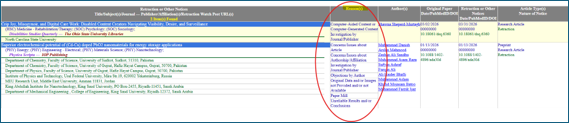
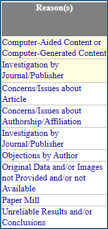
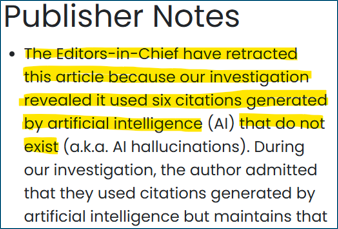
- Photo – result list on the Retraction Watch database with the reasons and explanation of retraction
Crossref Retraction Watch is a website and database that tracks retracted, corrected, or otherwise flagged scholarly papers, with the purpose of making errors in the scientific record easier to detect and address. It is used to check if a paper has been retracted, revised, or flagged with an expression of concern before citing or relying on it.
Retraction Watch gathers retraction information from publisher websites, scholarly databases, web searches, and community reports, then updates the database every working day.
When we get to know or are informed about the fact that an article has been retracted, we set it in MTMT immediately, as seen below:
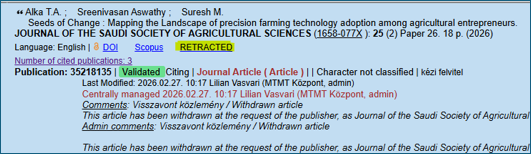
- Photo – Retraction indicated in MTMT
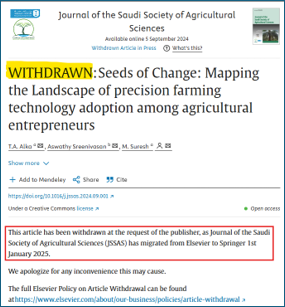
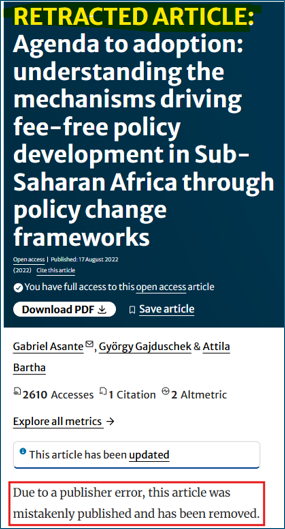
- Photo – Retraction indicated on different publishers’ webpages
GAME!
Click on the games to test your knowledge.
6. Module: AI policy and recommended tools for research
In the following course material, we cover the main points of the Regulations in force at Corvinus University regarding the use of AI in education. We have compiled a list of AI tools that effectively support the individual steps of research and facilitate and accelerate the processing of collected literature. The course material is based on the following video: “Best AI Tools for University Students“.
Corvinus AI policy
1. Purpose and Core Principles
- The University encourages the careful, ethical, and transparent use of generative AI (GAI) in learning and research.
- Academic honesty, respect for intellectual property, data protection, and confidentiality are fundamental values at Corvinus.
- Even when you use AI tools, you remain fully responsible for everything you submit, publish, or share.
2. What Is Expected from All Students
- Any content produced with the help of AI must be checked carefully for accuracy, legality, and compliance with ethical standards. If AI-generated content causes harm or contains errors, responsibility lies with the user, not the tool.
- If AI contributes to your academic work, this must be clearly disclosed, including the specific use case and the name of the tool
3. Uses of Generative AI That Are Not Allowed
The following practices are prohibited:
1. Claiming AI work as your own
-
- Using AI to write parts of an assignment or thesis (e.g. abstract, literature review, figures) and submitting them as if they were entirely your own work.
2. AI-assisted plagiarism
Using AI to rewrite or adapt someone else’s work and presenting it as your own.
3. Presenting AI-generated data as real research results
Treating AI-generated statistics or datasets as valid research findings (except in clearly labelled teaching or demonstration exercises).
4. Violating confidentiality or data protection
Entering into AI tools: confidential university information, trade secrets, unpublished research data, personal data of students, staff, or others,
unless this is explicitly authorised and institutionally protected.
5. Infringing intellectual property rights
Using AI in ways that may violate copyright, patent, or trademark rights.
6. Creating harmful or illegal content
Generating biased, discriminatory, misleading, or illegal outputs, including malicious software or content facilitating cybercrime.
4. Uses of Generative AI That Are Allowed (With Conditions)
You may use generative AI responsibly and transparently in the following ways:
1. Editing your own text
Improving grammar, spelling, clarity, or style, as long as the ideas and arguments remain your own.
2. Supporting research work
Helping with finding and organising literature, preliminary data analysis, reviewing datasets, as long as you critically evaluate and verify all outputs yourself.
3. Working together with AI
Co-creating content with AI only when this is explicitly allowed, and only if the AI’s role is clearly acknowledged.
4. Using approved AI tools
Prefer AI tools provided by the University or explicitly approved by your lecturer or programme leader. New or significant tools may require review by the Dean for Artificial Intelligence.
5. Declaring the Use of AI and Related Consequences
- If AI is used in your assignment, thesis, or project, you must include a written declaration stating whether AI was used, how it was used, which AI system and version were applied.
- Suspected unauthorised AI use may lead to requests for clarification, ethics procedures, application of plagiarism or academic misconduct rules.
- AI-detection tools may be used by teachers, but they are only supportive tools, not definitive proof on their own.
6. Key Message to Remember
AI can help you learn and research more effectively, but it cannot replace your own thinking, responsibility, or academic honesty. Always be transparent, always review what AI produces, and always consult with your teachers to determine if and to what extent AI use is permitted.
8-Step Educational Material: AI Tools and Use Cases in Research
Each step includes a clear description of the use case, the tool’s application, and best practices for researchers.
1. AI-Assisted Browsing for Relevant Academic Data
Tool examples: Perplexity, Consensus
Use case: Rapid identification of relevant academic literature, empirical evidence, and cross-disciplinary, evidence-based answers, supported by transparent and verifiable sources that enable users to independently assess validity and reliability.
How it works:
Perplexity Academic combines large language models with live web and academic database browsing, returning synthesised answers with direct citations. Perplexity is built on a freemium AI-powered answer engine (a model in which a service offers basic features for free, while advanced functionality is available only through a paid subscription.) that integrates real-time web search with multiple leading LLMs to deliver clear, concise answers backed by verifiable sources, and each response includes citations to the original materials. Perplexity’s Academic filter prioritises peer-reviewed and scholarly content for research-oriented queries. Unlike traditional link-centric search engines, Perplexity’s output focuses on narrative summaries with embedded source links, designed to streamline both general and academic research tasks.
Consensus takes open-access research and aggregates answers based on the findings of studies. This enables researchers to move beyond simple keyword-based searches by providing fine-grained control over search parameters, including temporal scope, citation thresholds, and journal quality indicators (e.g., Q1–Q4 rankings), thereby improving the relevance of the retrieved results. Consensus searches across a database of over 220 million open-access papers, sourced from Semantic Scholar, OpenAlex, and its own scholarly web crawl, which covers high-impact journals and PubMed content, and grounds each answer in citable literature. It is often positioned as an AI-enhanced alternative to Google Scholar, combining evidence retrieval with AI-based synthesis. However, while every citation refers to a real published paper, the AI’s summaries can occasionally misinterpret a paper’s findings, representing the principal form of hallucination possible in the system.
Best practice:
Use Perplexity for broad, exploratory scanning and Consensus for validating whether a claim is supported by the scientific literature. Always verify cited sources directly. Use AI-powered search as a complement to traditional research methods.
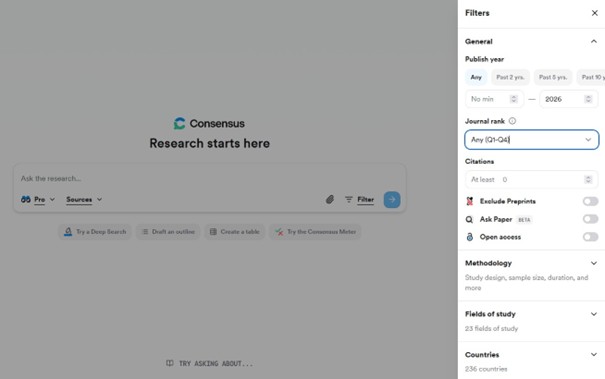
2. AI-Enhanced Literature Search
Tool Example: Scite, Sci Space
Use Case: Quickly identify and retrieve relevant academic papers with AI-powered search, summarisation, and citation insights.
How it works: These platforms utilise LLMs and AI classification to efficiently rank and extract key findings; however, they typically require a paid licence to unlock their full potential, as free versions are limited in capability. SciSpace is an AI-enhanced research assistant that goes beyond basic search by providing tools for literature review, interactive PDF chat, AI-assisted writing, summarisation, and citation generation. It operates under a freemium model, in which the free version is limited in both usage volume and feature breadth. Additionally, Scite highlights how papers cite one another by categorising references as supporting, mentioning, or contrasting, thereby enabling researchers to assess the strength and reliability of the underlying evidence and to evaluate the relationships among relevant works for a more nuanced inclusion in their own literature review.
Best Practice: Use AI-powered search as a complement to traditional research methods. Combine it with domain-specific controlled vocabularies, curated databases, and manual screening to ensure comprehensive coverage, verify critical sources, and maintain rigour in literature selection.
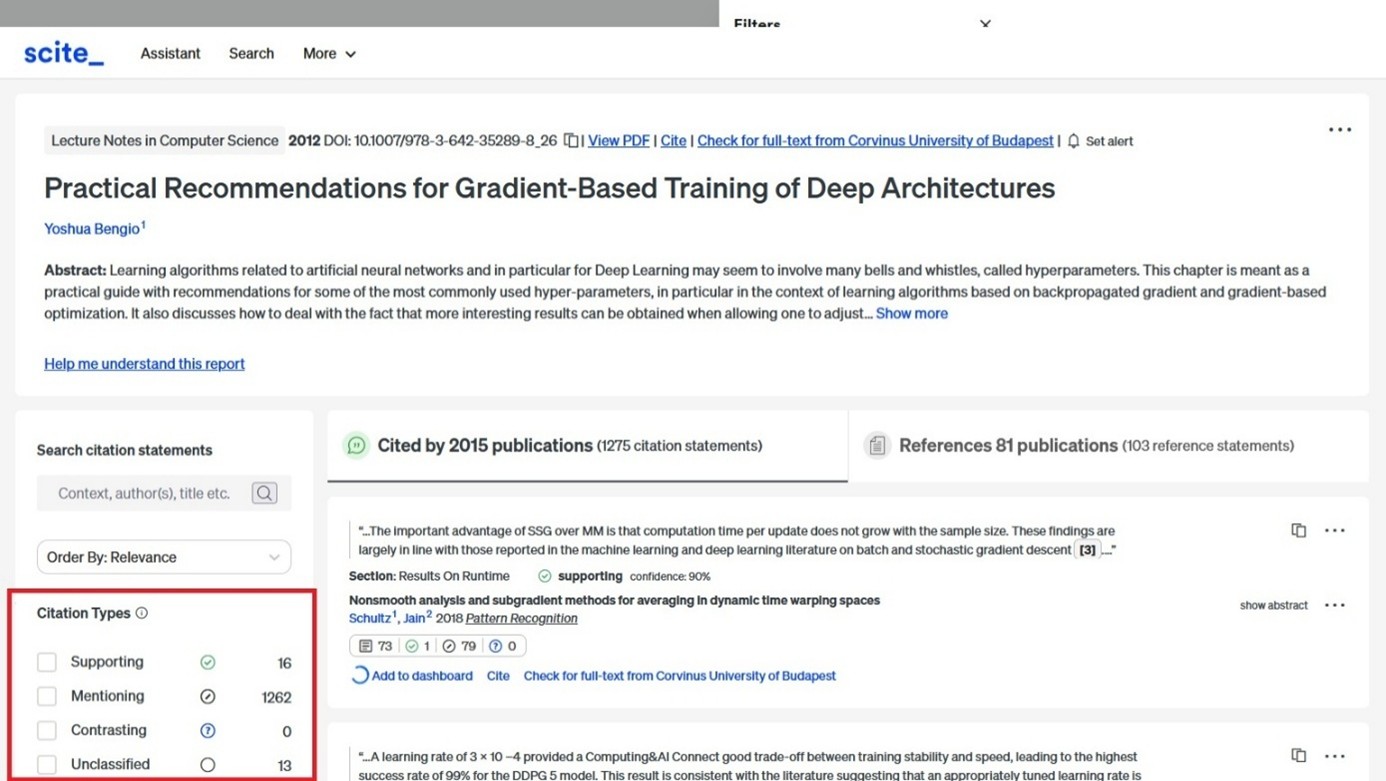
3. Personal Knowledge Base and Synthesis
Tool Example: Google NotebookLM
Use Case: Create an AI-assisted personal knowledge base that summarises documents, notes, and creates structured insights of these.
How it works: NotebookLM acts as a learning buddy, ingesting the researcher’s own source materials (such as PDFs and web links) and generating structured summaries, explanations, and presentations, including audio overviews, visual overviews, and mind maps, among other formats.
Best Practice: Use as a tool for project notes and multi-document synthesis (text-to-audio/video).
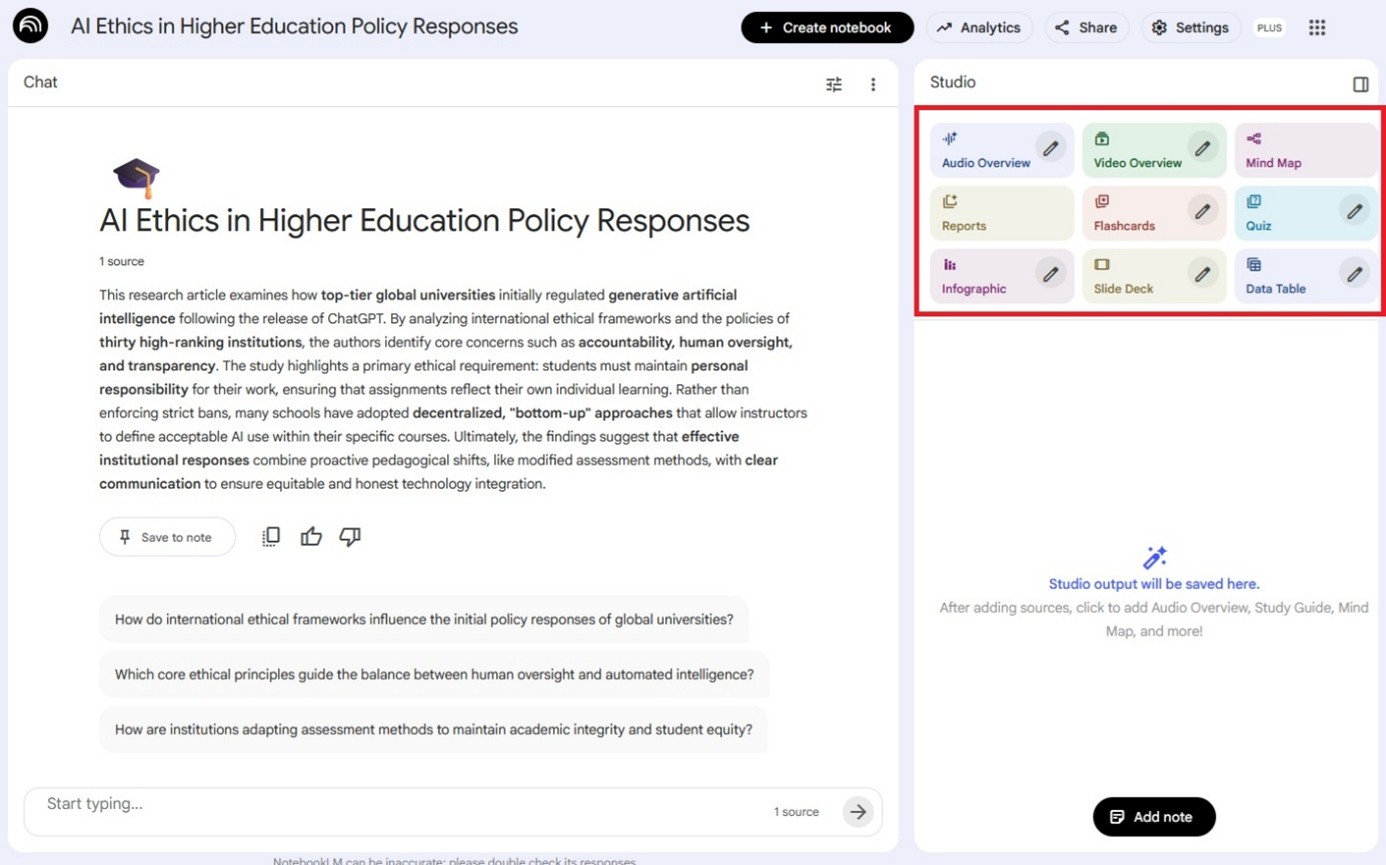
4. Creating Custom AI Experts for Repetitive Tasks
Tool Example: Gemini Gems or ChatGPT’s custom-built GPTs
Use Case: Build tailored AI agents (“Gems”) to handle specialised research tasks (e.g., summarisation, draft templates, prompt libraries).
How it works: Gemini Gems or Custom GPTs as reusable AI assistants that follow predefined instructions, examples, and constraints so they can reliably handle the same type of task again and again. In practice, this means that instead of repeatedly explaining what you want (for example, how to summarise articles, explain academic concepts, or give writing feedback), you configure the AI once, and it then automates those repeated activities consistently, improving efficiency and freeing up time for higher-level research work.
Best Practice: Define explicit task instructions and repeatedly test Gems and GPTs to achieve optimal performance.
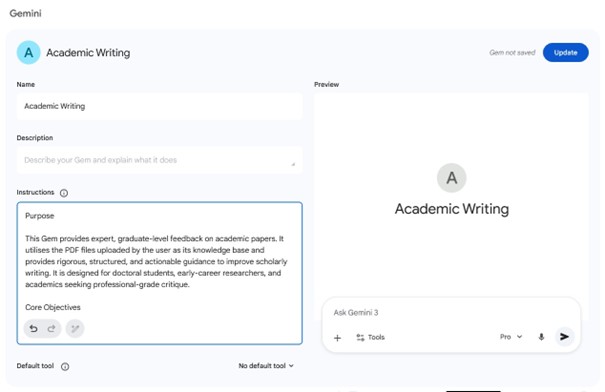
5. Deep Research Queries
Tool Example: Gemini / ChatGPT / Perplexity- Deep Research
Use Case: Perform complex query analysis such as cross-disciplinary context extraction, data comparison, and extensive summarization.
How it works: Unlike regular search engines, which mainly return lists of links based on matching keywords, Gemini, ChatGPT, and Perplexity Deep Researches work by gathering information from several sources, reading and comparing them, and then combining the key points into a single, structured explanation. Instead of simply pointing you to where information can be found, they bring together search, reasoning, and awareness of sources to produce longer, clearer, and more nuanced answers, which makes them especially useful when you want a deeper understanding of a topic rather than quick look-ups.
Best Practice: Use alongside traditional databases (e.g., Web of Science, JSTOR, ScienceDirect) to triangulate findings.
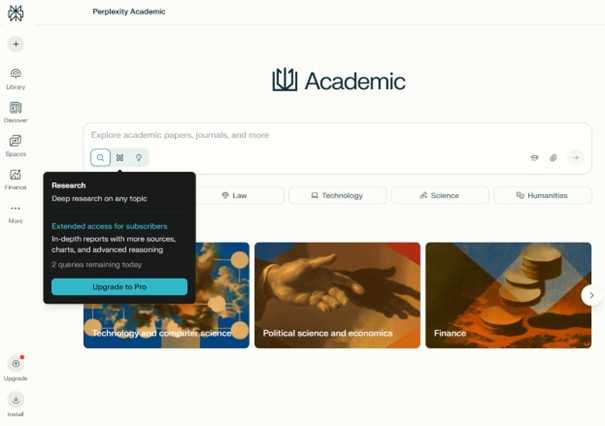
6. AI-Assisted Research Organisation
Tool Example: Litmaps, Connected Papers
Use Case: Map and explore connections between papers, authors, and topics; receive updates on emerging research.
How it works: AI algorithms visualise network graphs of literature and track new publications matching your interests, or visualise the citation tree of seminal works in your field.
Best Practice: Use visual overview early in literature review to identify relevant clusters of research.
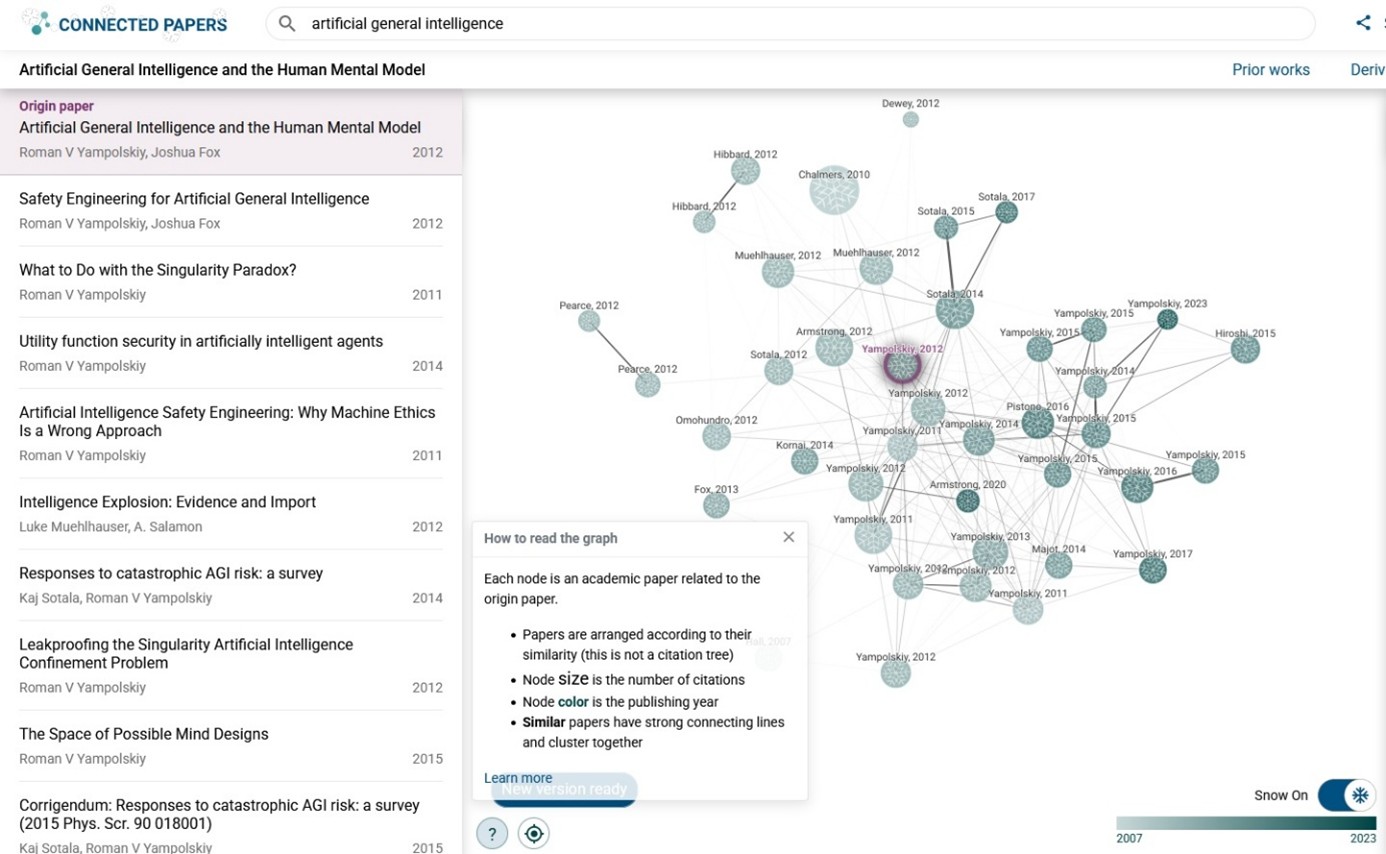
7. Interactive Q&A with Research PDFs
Tool Example: ChatPDF, AskyourPDF
Use Case: Ask questions directly about the content of research documents to clarify methods, figures, and results.
How it works: ChatPDF.com is an AI-powered tool that lets users upload a PDF or insert a URL and then interact with the source material using natural language to extract answers directly from the document. This approach helps minimise AI hallucination, since it narrows the model’s reference material to the specific uploaded PDF (or linked document) rather than relying on general web knowledge.
A key differentiating feature is that ChatPDF supports URL-based input, while AskYourPDF typically only works with uploaded PDFs. Both tools also offer mobile apps for Android and iOS, allowing for document-based Q&A on smartphones.
Free Plan limitations: ChatPDF’s Free Plan offers only limited usage, usually including constraints such as a restricted number of PDFs per day, page limits per PDF, and limits on the number of questions you can ask per document.
Best Practice: Helpful for interdisciplinary collaborations or when working with complex research materials, such as technical papers that may be dense.
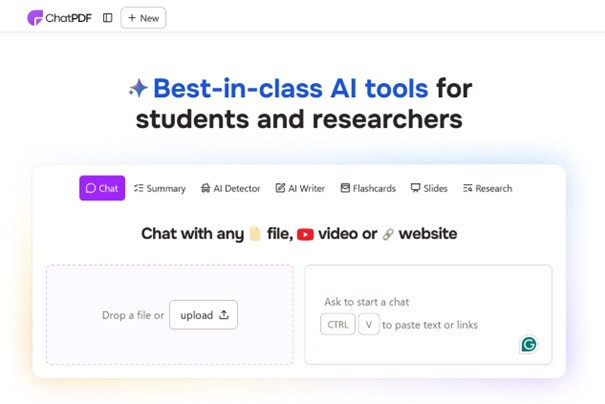
8. Visualisation and Reporting of Research Data
Tool Example: Gamma, Napkin AI
Use Case: Generate publication-ready figures, ppt presentations and interactive dashboards from datasets. Convert textual explanations or research summaries into diagrams, infographics, charts, and mind maps.
How it works: Gamma.app is an AI-powered content creation platform that can generate PPT presentations from written prompts, utilising AI to handle layout and visual formatting, allowing users to focus on content. Gamma’s free plan includes restrictions such as finite AI credits and fewer customisation options.
Napkin.ai generates visuals directly from text, eliminating the need for manual design. It transforms text into diagrams, flowcharts, and other graphic formats that can be exported to PPT, PDF, SVG, and PNG. This means users can quickly produce visual assets for presentations or documentation from natural language input.
Best Practice: Build visuals that tell the story of your findings; test different chart types for clarity.
Napkin screenshot:
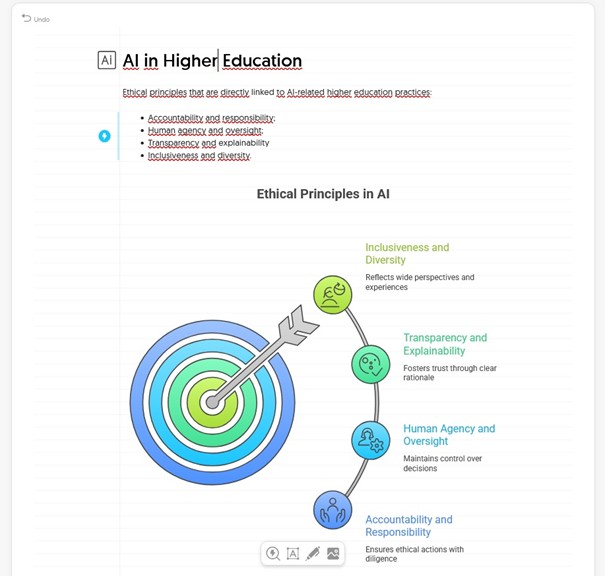
Gamma screenshot:
7. Module: Basic writing skills – compilation and structure of a thesis
The aim of the lesson: to familiarise users with the criteria of thesis compilation, the rules of structure, and the parts of a thesis.
Requirements:
You have learnt this course material properly if:
- you know what note-carding is;
- you know the main parts of a thesis;
- you can define the purpose, task, and characteristics of the introduction, discussion, and conclusion/summary;
- you know the criteria of title-giving;
- you can name the most important criteria of style and language of a thesis;
- you know the mandatory parts of a thesis;
Time required: you will need approximately 45 minutes to complete this lesson.
Key terms:
- structure of a thesis, introduction, discussion/main text, summary/conclusion, title;
- style, language, formal requirements, mandatory parts of a thesis;
~~~OOO~~~
Thesis
According to 74. § (2) the Study and Examination Regulations of the Corvinus University of Budapest “The aim of the thesis is to demonstrate the student’s knowledge and professional expertise in a topic of his/her own choice, in collecting scientific data related to the chosen topic, in systematising, analysing and processing them, in discussing the chosen phenomenon or problem, in developing hypotheses, in solving problems, in analysing alternative hypotheses, in reasoning and refuting counter-arguments, and in expressing his/her thoughts, views, positions and statements in a coherent, consistent manner that is sophisticated in terms of language use.”
The content requirements of a thesis
According to the requirements detailed in Annex 3 of the Study and Examination Regulations, the expected length of the thesis refers to the main text, excluding annexes and the table of contents, and is regulated individually by the study programme leaders. All theses must include a reference list and a summary/conclusion section.
In detail:
- external and internal cover page
- table of contents
- thesis => introduction, discussion/main text, summary/conclusion
- list of references and illustrations
- annex (not mandatory).
The format requirements of a thesis
According to the requirements detailed in annex 3 of the Study and Examination Regulations
- formatting:
- 12-point serif[1], 1.5 line spacing, justified paragraphs;
- clear indication of main and sub-chapters (highlights, alignments, structuring);
- numbering
- page numbering shall be continuous, no need to restart by chapters;
- main and subchapters have to be numbered, and numbering shall indicate the hierarchy (3.; 3.1; 3.1.1; 3.1.2; 3.2.);
- illustrations shall be numbered and titled, as well as the type shall be indicated (photo, figure, table, map, etc.);
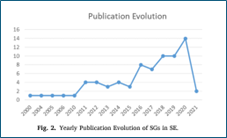
1. Figure – examples on the indication of chapters and sub-chapters, and on numbering illustrations
In the previous lessons, you mastered where and how to search scholarly resources for your thesis. In this lesson, you will learn how to extract relevant content from these sources and then how to compile and write a thesis based on the received information and data.
Game!
Click on the games to test your knowledge.
Content requirements of the thesis
[1] Times New Roman fits this requirement
Note taking
Note-taking means gathering all the facts, data, information, and/or definitions from the sources you found in your literature research that are relevant to your hypothesis or research question(s) stated/asked in the introductory part, and either proving or disproving them. When taking notes, DO NOT take notes only on the content (passive note-taking), but collect all the information that is new to you, that examines your research topic from different angles (e.g.: theory vs. practice; national vs. international) – this is called active note-taking.
Game!
Click on the game to test your knowledge
Note-carding
The term “note-carding” originates from the pre-Internet era, when authors took notes on paper notebooks and wrote important information and data on cards. Today, more software is available for this purpose, allowing everyone to find their best fit. The goal is to create easy-to-move elements of your notes that make it easy to compile the structure of your thesis.

2. Figure – note-taking by hand or by using software
One card includes all the data and information from one source (article, chapter, book, etc.).
Start writing your notes (note-carding) only once you have appropriately defined your topic, specified its scope in terms of space and time, and stick to these boundaries throughout the thesis. Don’t start the introduction from the very beginning of time, don’t make a global outlook.
Content of a note-card:
The ACCURATE bibliographic data of the source. Never use a source without them, as these data enable you to retrieve the correct source quickly.
Bibliographic data includes minimum the:
- author(s), editor(s) name;
- title (and sub-title if there’s any);
- data of edition (in case of books) (e.g. 2nd extended edition);
- publishing data (which publisher published when / in which journal it was published);
- page numbers.
These bibliographic data should always be written as they appear in the document.
Your comments and thoughts that arise while reading and processing the literature, encouraging in-depth reflection and critical evaluation of what you have read. These questions and answers will serve as the basis of your own observations, opinions, and ideas, which will be evaluated very positively by the reviewers
Here’s some advice based on experience gained by practice: when taking notes, it’s worth writing the important thoughts verbatim (word by word) because later it’ll be easier to rewrite the original text in your own style than to search for the original based on a paraphrase.
Build the structure of your thesis by using the note-cards. Evaluate and compare the thoughts you noted, extend them with your own opinions and perspectives, and then organise them according to the intended logic – that is, compile the main and sub-chapters, the structure of the thesis. Make sure that the length is consistent with the content.
Introduction
The main goal of the introduction is to attract the audience’s interest. This is the part where you introduce your readers to
- what your thesis is (not) about,
- why your topic is relevant,
- what the personal aspects of your topic choice are,
- the intended goal of your thesis, your hypothesis[1]/research question(s),
- the applied method(s)[2] and the reason for its choice, and
- the goals you could and/or couldn’t achieve.
Although the thesis begins with the introduction, in terms of the order in which the individual sections are written, this is the final step, because only after the thesis has been completed can you say what has been realised from the original idea and what has not, as well as what the potential obstacles were.
If you don’t cover a topic in your thesis that should have been included, or you were unable to complete your research as intended, you need to present an objective explanation or reason so that the reviewers will not notice the gap, and they won’t deduct points in evaluation. An objective explanation could be that you were unable to access important resources due to language or technological barriers, or that you were unable to conduct one or more crucial interviews or have questionnaires completed despite multiple attempts to book and reschedule appointments.
[1] The preliminary assumption, the reason for your research. The goal is to determine if your assertion is true or false. Important: hypothesis is not a question, it’s a statement.
[2] The method can be theoretic/historic description, survey, interview or your own research.
Discussion
The thesis itself. Without exception, in all cases, this section is always based on the “holy trinity” of definition – statement – proof, which means that
- you need to define in one or two sentences what the given (sub)chapter is about,
- state something about it,
- finally prove or disprove this statement using all the data, facts, research results, and definitions gathered during note-taking.
The thesis must include both theoretical and practical aspects, with their content complementing each other. In your literature review, clarify the concepts and definitions, introduce the theoretical basis and background of your research; then present and compare your practical experiences, and analyse(!) your research outcomes. It is critical that theory and practice reflect each other; do not discuss a theory unless you follow up with your own practical example, and vice versa; do not examine something whose theoretical background you have not addressed in your literature review.
It’s worth writing the thesis by chapters (and saving it on at least three different devices). Always make sure that your chapters are both logically and linguistically coherent, and that they align well with the overall text. You can save time by using your note-cards to group the different parts of the thesis, mark their linking points, and then build the structure of the thesis.
Summary/conclusion
The main goal of this chapter is to respond to the hypothesis/-es and/or research question(s) presented in the introduction, to summarize the results achieved, and, based on these, to formulate further plans or goals along which the research can be continued, or to make comments and recommendations to the company/institution about which you are writing.
Also, in this chapter, you can describe the difficulties and obstacles you met during the research and/or the thesis writing.
Title
The title is the first important information about the thesis; it should clearly reveal the topic. This is why choosing the title is the last step in thesis writing, as only the completed thesis can indicate what exactly you were able to achieve and cover, allowing you to create a specific, expressive, and evident title. Further important criteria regarding title creation that are worth meeting:
- … is consistent with the topic and purpose of the thesis, reflects the content of the thesis,
- … understandable, highlights the essence but not too long,
- …visually striking [but not clickbait!] and raises the reader’s interest. (Wimmer, Juhász & Jeney, 2009)
If you can’t create a title that meets the criteria above, you can use a subtitle to clarify or explain the information provided in the title.
Game!
Click on the games to test your knowledge.
Style and language
The applied style and language are the second most important issues for most students after “How do I even start it?”. When you are about to start compiling your thesis, clarify for yourself who the readers will be, as it will define the style and language. All papers prepared during your higher education studies are for your professors, implying that you write for a professional audience on a professional topic.
Your thesis should be straightforward and easy to understand; express and explain yourself precisely, consistently, and clearly. Pay attention to the proper and correct use of technical terms while avoiding unnecessary use of foreign words. Your paper will not gain scientific value by filling it with unnecessary Latin or (ancient) Greek words and expressions; nonetheless, technical terms cannot be replaced with everyday words.
Use statements; instead of I would like to… use I will/am going to introduce/prove/illustrate… It will boost your self-confidence and make you look professionally prepared for the readers.
Pay extra attention to grammar and spelling! When you feel you have finished, ask one of your fellow students and a non-professional friend who is not familiar with the text to read it, so they will easily find the incorrect or misspelled words and expressions. Don’t rely solely on Word’s grammar checker because it doesn’t identify inappropriate usage if the word itself is grammatically correct (e.g.: uniform or unicorn).
Be objective and emotionless; always follow the rules of debate and maintain a respectful tone. You are allowed to disagree and express your views, but you cannot judge others.
Game!
Click on the game to test your knowledge.
8. Module: Text similarity check
The goal of the lesson : to familiarise users with the process of text similarity check and the interpretation of the report.
Requirements: you have finished this lesson successfully, if you know what Turnitin is good for, how to use it and how to interpret the result of the checking.
Time needed: to complete the lesson, you’ll need approximately 15 minutes.
Keywords:
- plagiarism-check, Turnitin, Similarity-report, Moodle-course
Basic principles
All theses and doctoral dissertations submitted at the university undergo a text similarity check. This process helps you avoid plagiarism and handle sources appropriately, and supports supervisors and lecturers in detecting plagiarism. The check is performed using Turnitin’s Similarity Check software.
How does it work?
The content of the Turnitin databases roots from multiple sources and compares your text with them:
- openly available sources available in the internet
- scholarly publications
- formerly checked papers submitted in universities where Turnitin is also used
The software’s content is more extensive than what search engines can find. The system works by recognizing similarities in the text and, based on the comparison, generates a so-called Similarity Report, which shows the percentage of your paper that matches other sources. Turnitin is therefore a tool that helps both students and teachers recognize signs of plagiarism and improve text quality.
Where can you get Turnitin?
Text similarity check is performed through Moodle. To use it, you need to log in to Moodle, select the appropriate course (usually called Thesis test submission current semester), and upload your thesis to the system. Turnitin accepts the most commonly used file formats, such as .doc, .docx, or .pdf. Once you have uploaded your thesis, the system will confirm the submission and you will receive a text similarity report showing the percentage of your thesis that matches other sources
The Similarity Score
The Similarity Score is the most important part of the report. This percentage shows the extent to which the submitted paper matches sources found in the Turnitin database. It is important to note that a high similarity index does not necessarily mean plagiarism, as properly cited or paraphrased texts may also appear in the system. The report lists in detail the sources from which the text of the paper may come, and the exact URL or type of the source (e.g., another student’s paper, a website, or a scientific publication) appears on the right-hand side. You have the opportunity to review the report to verify the accuracy of your references.
Turnitin identifies different types of matches and highlights them in colour in the report. It groups matches in the text based on verbatim quotations, paraphrased sections, or required elements (such as bibliography entries or titles). Turnitin allows you to filter and configure these settings so that they can be excluded from the report. For optimal results, it is recommended to exclude the bibliography and quoted text to ensure that you receive a relevant index.
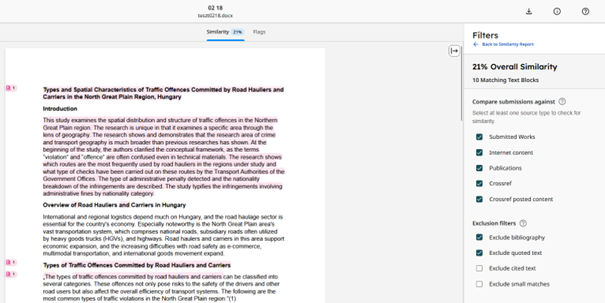
If you find a high similarity in your own paper, there are several steps you can take to remedy the problem. In most cases, the references are incomplete or incorrect, and you will need to correct them. You can perform unlimited test uploads until the submission deadline, and you can also check your corrections.
It is not the software that decides whether plagiarism has occurred, but your supervisor. Plagiarism may still exist even if the similarity index is low, and vice versa, a high similarity index does not automatically mean plagiarism.
Overall, Turnitin contributes to improving the quality of your paper. Proper use of sources, accurate handling of citations, and expressing your own ideas are all essential skills that can be crucial not only during your university studies, but also in your future academic work.
 The modules on Library usage, scholarly literature sources and Ctrl C – Ctrl V, References, plagiarism and the linked guides contain all the necessary information to fulfil the library module of the compulsory SZEMTANK-course on Moodle. If you need more help, join our training and consultation sessions offered throughout the semester.
Did you use the e-learning material?