Thesis writers (BA/MA)
Need help with writing your thesis?
This guide breaks down everything you need to know to write a great thesis. If you still feel stuck after reading this, consider joining our various training sessions or book a consultation.
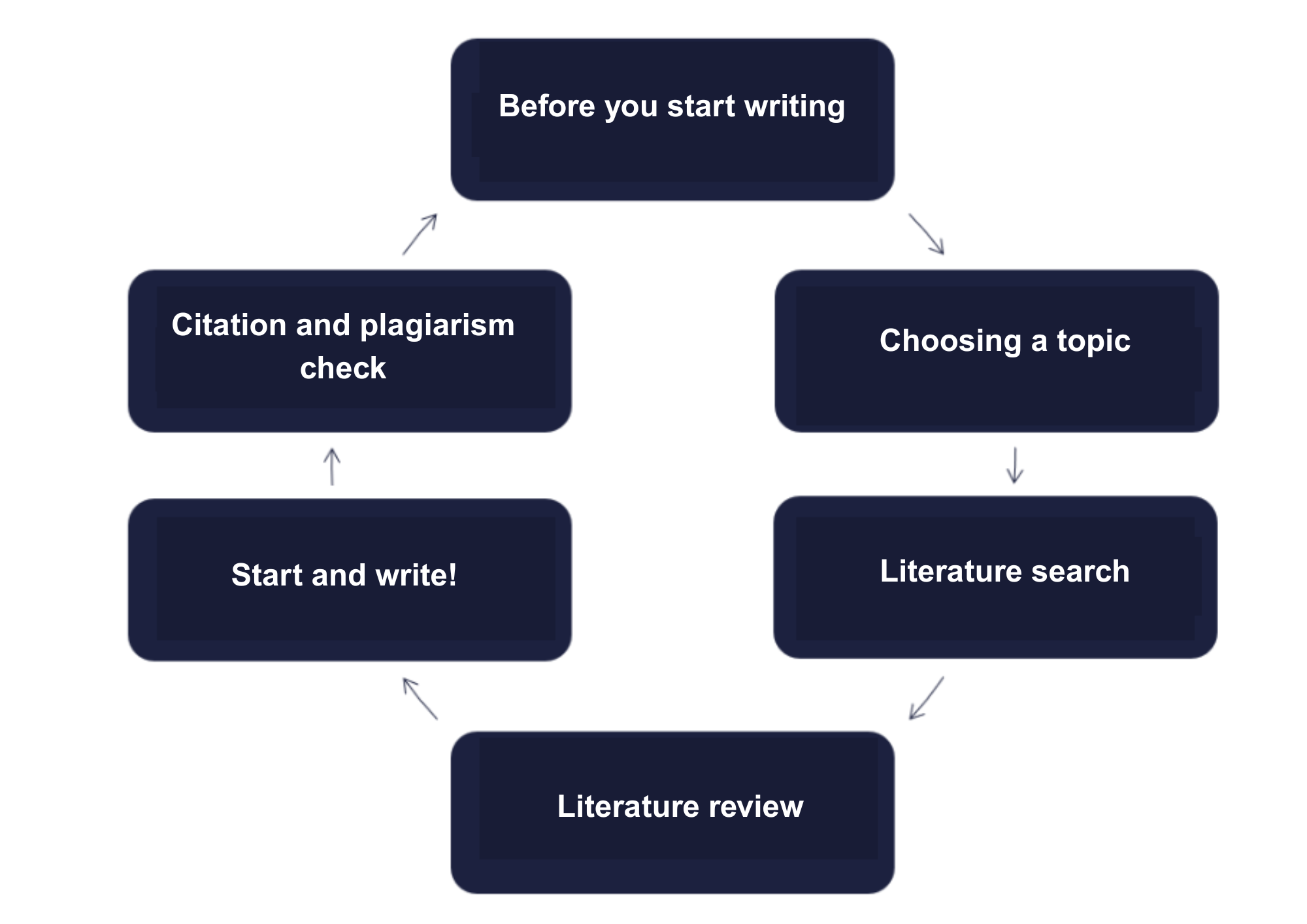
Before you start writing
- Know the rules. Before diving in, make sure you understand what’s expected of you. This will save you headaches later and help you avoid plagiarism.
- What to check:
- Thesis guidelines and formatting requirements
- Study and Examination Regulations
- The university’s Code of Ethics
- Anti-plagiarism Regulations
- Guidelines on using AI tools
- Look at previous Corvinus theses to see what the final product should look like
- Get extra support. Besides your classes and supervisor, consider joining our thesis training sessions and consultations.
Choosing a topic
- Pick something you love and care about. You’ll be working on this topic for months, so choose something that interests you. Think back to your favourite courses, the topics that excited you, or the notes you enjoyed taking.
- Browse suggested topics. If nothing appeals to you, talk to a supervisor who works in your area of interest.
- Avoid overused topics. Check previous theses to make sure yours is original. They’re also great for inspiration and finding sources.
- Make sure there’s enough info out there. Search using keywords to see if enough material exists. If not, rethink your topic.
- Read and question everything – think critically. As you explore potential topics, write down questions that pop into your head. These questions often turn into excellent thesis topics.
- Try to describe your topic in one short sentence (5-6 words). Use this sentence to brainstorm keywords and create a mind map of essential concepts.
Find more tips in Topic selection E-learning material.
Literature search
Tips:
- Don’t just grab whatever you find on Google – it takes the same amount of time to read a good source as a bad one, but only the good one will help your thesis.
- Use reliable academic sources like databases, journals, and textbooks.
- For the latest research, look at scholarly articles, not just random websites.
Where to Search:
- Check the former theses and students’ papers in the repository.
- Library website – start here!
- Use VPN to access e-books, journals, and databases from anywhere.
 Identifiers for using the library
 - SuperSearch: Great for broad searches across multiple databases.
- Catalogue: Find specific print books.
- E-journals & e-books: Search by title, even if you’re looking for a chapter or article.
- Use VPN to access e-books, journals, and databases from anywhere.
- Browse our website for external resources.
- Missing full-text? Request it through interlibrary loan.
Find more tips in Library usage – Scholarly literature E-learning material.
Literature review
- Read a lot—but read smart!
- You need to read a lot not only for your bibliography but also to formulate your research questions.
- Focus on literature related to your topic; don’t read unnecessarily.
-
Take notes, organize them!
- Develop your own style: highlight, use abbreviations, and include references.
- You can even start writing your paper by paraphrasing what you’ve read.
- Use digital note-taking apps (e.g., Evernote, Notion, OneNote, Google Keep, Apple Notes, etc.)—they make it easier to organize your sources.
- Use citation managers (Zotero, Mendeley)—they make it easier to organize citations and create a reference list.
Start and write!
Start with an outline. Think of it as a roadmap – when you get lost while writing (and you will), you can always find your way back to your plan. Don’t worry if you need to change it as you discover new information.
Writing Tips That Actually Work
- Write the easiest part first. Begin with whatever section you feel most confident about – you’ll build momentum this way.
- Stay on topic. Only include information relevant to your topic. Use footnotes for side notes.
- Write clearly. Use simple, short sentences, consistent terminology, and logical structure.
- Proofread! Use your word processor’s tools. Let it create your table of contents automatically.
- Get feedback. Show your work to friends or family members – they might catch things you missed.
- Save the title for last. Once you’re done, choose a title that accurately reflects your work.
Find more tips in Basic Writing Skills E-learning material.
Citation and plagiarism check
Not citing correctly – even if you paraphrase – is plagiarism.
Why cite?
- To avoid plagiarism
- To build credibility
- So others can find your sources
Citation Tips:
- Cite all ideas you use, whether direct quotes or reworded.
- Follow your university’s required citation style (e.g., APA, Harvard).
- All in-text citations must appear in your reference list – and vice versa.
- Use reference managers like Zotero or Mendeley to simplify things.
Similarity Check
- At Corvinus University, all theses go through Turnitin for a plagiarism check.
- It shows how much of your text matches other sources.
- A high percentage doesn’t always mean plagiarism—it depends on context.
- You can upload a draft to Turnitin through Moodle.
Find more tips in Ctrl C – Ctrl V, References, plagiarism and Text similarity check E-learning materials.