Corvinus Printing House
Printing services
If you don’t have print-ready graphics, we are happy to help, whether it’s flyers, brochures, business cards, invitations, certificates, posters, teaching aids, or books. Contact us using the contact details provided, and let’s discuss your ideas, which we will use as a basis for designing your publication. First, we create a digital file, which can be later an online or offline product after consultation and approval. Production can be carried out in-house or at an external printing facility (depending on the technical specs and quantity of the product).
If you’re an experienced Canva user and only need our help with production, please use the material submission guide to ensure that all essential settings for the final output are correctly prepared.
With our sheet-fed digital printing technology, we can typically produce traditional printed products: business cards, flyers, books, notebooks, brochures, invitation cards, certificates, stickers, etc. Maximum print size: 330 x 487 mm, but the most commonly used paper sizes are SRA3 (320 x 450 mm).
Weight per square meter: 80–350 g
A wide range of paper qualities are available: office paper, offset paper, coated paper (silk, glossy finish), digital paper, creative (textured) paper, colored paper, self-adhesive printing substrates.
Scanned documents are typically sent by email. For printing, we can receive files or links via email with the shared location specified, or you can bring your document for producing on a USB flash drive, which you can print yourself from our guest computer with our assistance.
For simple printing and scanning tasks, we highly recommend using the self-service printers located in the corridors. There is also one right next to the print shop.
Printed products
- Paperback books, magazines;
- saddle-stitched brochures, leaflets, flyers, posters;
- Invitation cards, business cards, badges…
After printing, various binding solutions can be used to produce a wide range of products:
- softcover adhesive binding;
- spiral binding (metal and plastic);
- stapling, saddle-stitching;
- block binding;
Other finishing processes (post-press):
- straight cutting;
- folding;
- creasing (preparing thicker paper for perfect folding);
- laminating;
- pouch laminating;
- corner rounding;
- paper drilling.
All orders must be placed in writing via email. If you wish to place an order, we kindly ask everyone to provide the following basic information for future administration and accounting purposes:
Basic information in the case of university funding:
- customer name;
- organizational unit (Institute!);
- source of funding (theme number or project number);
- requested completion date;
- description of work to be performed
- detailed job description, technical specs (size, color, binding method, paper quality, if known).
Deadlines for acceptance:
- Simple print jobs that do not require further processing (small quantities – max. 200 copies – A4-A3 prints, possibly with machine corner stapling), such as flyers, posters, certificates, documents, and papers, can be completed on the same day, but may require a few hours’ turnaround time.
- Small orders requiring cutting and folding, such as invitations, leaflets, simple booklets, business cards, and badges, can be completed within 2 working days.
- More complex publications, such as stapled booklets, magazines, bound books, and folders, can be ordered with a minimum lead time of one week.
Production deadlines are only valid for properly submitted print-ready documents!
External orders (not funded by the university) can be paid by credit card or bank transfer. Internal orders (from institutes and other university organizations) that support education and operations are funded from a central budget, while orders related to projects can be funded through cost transfers.
More information coming soon.
Closed files (PDF, PS): these are the preferred submission formats! They contain all the information necessary for production (fonts, graphic elements, colors, color profiles, etc.), so they are the safest way to transfer files, but only if you embed the fonts or “convert” them to curves.
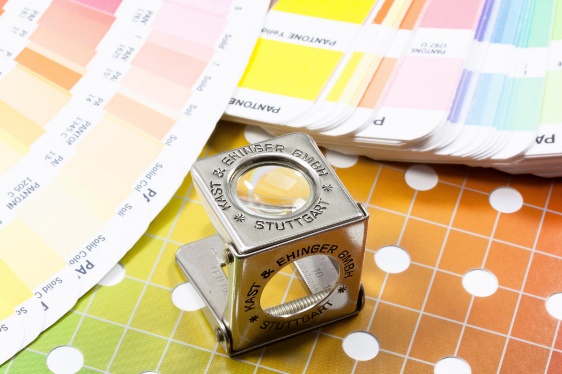
It is important that the document is submitted in a CMYK color composite PDF file. When creating files, it is best not to attach a color profile (or if you do, we recommend using Fogra 39 or Fogra 51), as an incorrect color profile can result in dull colors!
Open files: these are editable files (CorelDraw, Adobe Indesign, Adobe Illustrator, Adobe Photoshop, Microsoft Word, Excel, etc.). Unfortunately, these do not contain the elements necessary for accurate printing (fonts, graphic elements, images, colors, etc.), so in this case, everything should be attached, which unfortunately is not usually done. Fonts must be attached or converted to curves. If we receive an open file, we will create a closed file from it due to the problems listed above. In this case, approval is required before producing a larger number of copies.
Images, resolution: the minimum resolution for high-quality prints is 300 dpi and 8-bit color depth. Images on the internet generally have a resolution of 72 dpi, which looks good on a monitor, but will not produce a high-quality print.
Monitors, cameras, and cell phones work in RGB color space. However, printing requires the CMYK color system. RGB is a much larger color space than CMYK, which means that many shades disappear during the transformation and cannot be mixed from the four basic colors. Therefore, the color of the document may change slightly after conversion to CMYK, and the overall effect may be “dull.” For this reason, it is worth checking the accuracy of the colors after conversion.
Multi-page publications: please submit longer publications page by page rather than in pairs. Blank pages must also be in the correct place! Otherwise, the pages will “slip” during printing. The spine thickness must also be taken into account for different binding methods.
- For binded books, it is important to have the correct spine margin width and page numbering. Page numbers always start with an odd number! Odd numbers should appear on the right-hand side and even numbers on the left-hand side. Blank pages must also be included in the page count! The title page is also included in the page count, but the page number is not written on it. The back of the inside cover is typically a blank page. The spine thickness must be specified for the cover, and it is always advisable to submit the cover as a separate file.
- For spiral-bound books, please calculate with the space required for the spiral, as the holes stick out at least 10 mm into the binding margin.
- For saddle-stitched publications, the page count must always be divisible by 4, otherwise blank pages will be added to the end of the publication. With 80 gsm paper, we can bind a maximum of 20 sheets, which means 80 pages, but even this will not look very nice, so it is best to stop at 10–12 sheets. For papers with a higher than 80 gsm, the number of sheets decreases proportionally. It is worth discussing this before editing.
Sizing, bleed: we distinguish between crop size and trim size. When ordering, you must specify the crop size, but when delivering documents, always specify the trim size. For folded publications (e.g., leaflets), never specify the unfolded sheet size!
For bleeded documents, please leave minimum +3–3 mm bleed, marked with a crop mark.
It is important that, it is not important which program is used for editing, the created document page always matches the trim size of the publication. Anything that “hangs over” this area (print, background color, image, line, etc.) will be cut off. Why is this necessary?
- when editing, it is easier to see where the publication will be cropped, so we do not get too close to page side with content or text that cannot be cropped;
- if we enable crop marks and 3 mm bleed information when saving the PDF, the file information will actually show the final size, making it easier to assemble electronically;
- avoid the bad habit of creating a business card (without bleed) on an A4 sheet and marking the desired cut line with a frame. This will guarantee an unsightly end result and take much longer to produce.
So, in summary, the bleed is important because a single poster can be cropped precisely, but for larger print runs and folded sheets, it is essential to avoid white stripes at the edges of our work. No matter how accurate the printing machines are, the paper stretches and slight movement of the print can happen.
Contact
Szauer Gyöngyi
Print Shop Leader
E-mail: gyongyi.szauer@uni-corvinus.hu
Sásdi Tamás
Print Shop Associate
E-mail: tamas.sasdi@uni-corvinus.hu
Email: print@uni-corvinus.hu
Phone: +36 1 482 5519
Adress: E building ground floor 99. (Opposite lecturer 3)
| Monday | 08:00 – 12:00 | 13:00 – 16:30 |
| Tuesday | 08:00 – 12:00 | 13:00 – 16:30 |
| Wednesday | 08:00 – 12:00 | 13:00 – 16:30 |
| Tursday | 08:00 – 12:00 | 13:00 – 16:30 |
| Friday | 08:00 – 14:00 | |
| Saturday | closed | |
| Sunday | closed |
Books, lecture notes
| Corvinus Szaknyelvi Vizsgafelkészítő – Angol – Gazdasági | ||
| Homolya – Thiessen | Topic by topic – Szóbel vizsgafelkészítő | 3 950 Ft |
| Erdei – Homolya | Smart in business tests | 3 980 Ft |
| Hartai Gabriella | Be a good listener – Hallás utáni szövegértés | 2 800 Ft |
| Torkos Róbert | Bizterms | 3 500 Ft |
| Goldstein Katalin | Prompt by prompt – Felsőfokú szóbeli | 3 990 Ft |
| Corvinus Szaknyelvi Vizsgafelkészítő – Angol – Nemzetközi kapcsolatok | ||
| Bogár – Erdei – Thiessen | Expanding Horizons B2 | 3 980 Ft |
| Bellers – Ajkay – Nagy | Opening horizons C1 | 3 590 Ft |
| Corvinus Szaknyelvi Vizsgafelkészítő – Francia – Gazdasági | ||
| Csikós András | Le francais économique de A á Z | 3 900 Ft |
| Corvinus Szaknyelvi Vizsgafelkészítő – Német – Gazdasági | ||
| Bajkó – Pintér – Polakovits – Tefner | Bausteine Oeconom – Tematikus gyakorlókönyv | 3 890 Ft |
| Corvinus Szaknyelvi Vizsgafelkészítő – Olasz – Gazdasági | ||
| Németh Erzsébet | Ascoltami! Hallás utáni szövegértés | 2 800 Ft |
| Németh Erzsébet | Economicament e parlando | 4 970 Ft |
| Corvinus Szaknyelvi Vizsgafelkészítő – Orosz – Gazdasági | ||
| Patkós – Petuhova | Ekonomika.ru | 3 980 Ft |
| Általános Nyelvkönyvek | ||
| Kertész Judit | Spanyol nyelvkönyv kezdőknek – munkafüzet | 2 850 Ft |
| Kertész Judit | Spanyol nyelvkönyv kezdőknek – tankönyv | 2 950 Ft |
| Közgazdaságtan alapok | ||
| Hal R. Varian | Mikroökonómia középfokon | 9 900 Ft |
| Gazdasági és pénzügyi matematika | ||
| Száz János | Devizaopciók és részvényopciók árazása | 5 000 Ft |
| Száz János | Befektetések, kockázatok, folyamatok – Numerikus pénzügyek II. | 7 000 Ft |
| Száz János | Értékpapír számtan és a Monte-Carlo szimuláció | 6 000 Ft |
| Száz János | Ismerkedés az árfolyamokkal | 4 000 Ft |
| Száz János | Árfolyamok alakulásának szimulációja | 3 000 Ft |
| Száz János | Mátrixsszámítás | 5 000 Ft |
| Menedzsment | Menedzsment | Menedzsment |
| Dobák – Antal | Vezetés és szervezés | 6 400 Ft |
| Chikán Attila | Vállalatgazdagságtan | 9 900 Ft |
| Marketing | ||
| Bauer – Kolos | Márkamenedzsment | 4 000 Ft |
| Bauer – Berács – Kenesei | Marketing alapismeretek | 5 950 Ft |
| Pénzügytan, vállalati pénzügyek | ||
| Fazakas Gergely | Képletgyűjtemény a vállalati pénzügyekhez | 450 Ft |
| László Csaba | Költségvetési döntéselmélet | 1 200 Ft |
| Fazakas Gergely | Példatár a vállalati pénzügyekhez | 2 600 Ft |
| Fazakas Gergely | Vállalati pénzügyek 1. | 3 300 Ft |
| Fazakas Gergely | Vállalati pénzügyek 2. | 3 300 Ft |
| Fazakas Gergely | Vállalati pénzügyek 3. | 3 300 Ft |
| Banyár József | Életbiztosítás | 7 000 Ft |
| Fazakas – Walter | Vállalati pénzügyi esetek és döntések | 1 260 Ft |
| Számvitel | ||
| Lukács János | Ellenőrzés és könyvvizsgálat alapjai 2022 | 5 700 Ft |
| Lakatos – Filyó – László | IFRS feladatgyűjtemény | 13 900 Ft |
| Lukács János | Könyvvizsgálat rendszere 2024 | 7 500 Ft |
| Róth – Adorján – Lukács – Veit | Pénzügyi számvitel 2023 | 11 850 Ft |
| Róth – Adorján – Lukács – Veit | Pénzügyi számvitel feladatok 2023 | 8 990 Ft |
| Adorján – Lukács – Róth – Veit | Számvitel speciális kérdései 2022 | 11 900 Ft |
| Becsei – Filyó – Lakatos – Mikáczó – Serfőző – Stafira | A számvitel alapjai példatár és munkafüzet (Nappali) | 7 200 Ft |
| Bosnyák – Gyenge – Pavlik – Székács | Vezetői számvitel példatár és feladatgyűjtemény | 4 000 Ft |
| Baricz – Gyenge – Joó – Kovács | Számviteli beszámolók 2017 jegyzet- és feladatgyűjtemény | 2 700 Ft |
| Baricz – Gyenge – Joó – Martin – Reizingerné | A számvitel alapjai feladatgyűjtemény 2017 (Levelezős, MOJ-képzés) | 3 600 Ft |
| Nemzetközi kapcsolatok | ||
| Péti Márton | Selyemút | 3 560 Ft |
| Módszertan | ||
| Moksony Ferenc | Gondolatok és adatok | 1 000 Ft |
| Egyetemtörténet | ||
| Szécsényi – Zsidi | A Budapesti Corvinus Egyetem és elődintézményeinek története | 10 900 Ft |
| Jegyzetek előrendeléssel | ||
| Hunyadi – Vita | Statisztika képletek és táblázatok gyűjteménye | 1 050 Ft |
| László Norbert | Vezetői számvitel feladatgyűjtemény 2025 | 2 340 Ft |
| Kovács – Mohl | Pénzügyi instrumentumok számvitele | 3 940 Ft |
| Lakatos László Péter | Elements of accounting activity kit | 3 500 Ft |
| Serfőző Gyula | Az államháztartás szervezeteinek számviteli sajátosságai | 3 000 Ft |